Sunday, October 2, 2011
Lab Will Be Open 9:00 - 5:00 Monday 10/3 and Tuesday 10/4
Even though it is "Fall Break" Stephen will be in the Lab 9:00-12:00 Monday and Tuesday
Jacey-Blair will be in the Lab 12:00-5:00 Monday
Carly will be in the Lab 12:00-5:00 Tuesday
There may be other Lab Assistants there as well.
Wednesday, September 28, 2011
Rescheduled: Many Things REVISED
REVISED 3:58 PM September 28, 2011. No, it's not a baseball game. It is Many Things.
Too many people are planning to record their podcast in the lab tonight. And we need a Mac connected to an overhead projector to do the iMovie presentation. We will postpone the iMovie presentation until sometime in October. Sorry about that.
This change requires several other changes:
1. Short Movie (Project #11) originally due Sunday October 9 will now be due Sunday October 16.
2. SMART Board Instruction Part 1 (Project #13) originally due Sunday October 16 will now be due Sunday October 23.
New Schedule for Wednesday Workshops (and a Saturday)
Introduction to SMARTboard basics Wednesday October 5 6-8pm Anthony Capps (no change)
Introduction to SMARTboard basics Saturday October 8 10am -12 noon (no change)
Introduction to iMovie and Movie Making Wednesday October 12 4-5:15 pm and 6-7:15 pm and Thursday October 13 11am - 12:15pm Allie Howell Since this week (Week beginning October 9) is MANDATORY ATTENDANCE WEEK, we will incorporate the iMovie workshop into the mandatory class. You must attend ALL sessions of your class that week, not just the ones where we will cover iMovie.
Green Screens and Chroma Keys in Movie Making October 19 6-8 pm Elizabeth Brooks (moved from 9/12)
Friday, September 23, 2011
In Defense of the Luddite Professor Who Lectures
Hear the other side:
In Defense of the Luddite Professor (Doug Marshall)
Teaching Seminar
Library 312
2:30-3:30
Monday September 26, 2011
Dr. Marshall will make the case that traditional in-class lecture is an indispensable part of college education, and must remain an integral part of the curriculum. Click to register, call 461-1888 or just show up. I intend to attend!
Thursday, September 22, 2011
Wednesday Workshops (and a Saturday) Corrected Schedule
We have started a series of special opportunities to learn even more!
This schedule is the Corrected Schedule. Also see Rescheduled: Many Things
Introduction to SMARTboard basics Wednesday October 5 6-8pm Anthony Capps
Introduction to SMARTboard basics Saturday October 8 10am -12 noon
Introduction to iMovie and Movie Making Wednesday October 12 6-8pm Allie Howell
Green Screens and Chroma Keys in Movie Making October 19 6-8pm Elizabeth Brooks
Monday, September 19, 2011
25% Complete
We have completed Week 4 which puts us 25% of the way through the Fall Semester. Is your work up to date?
I Keep Hoping!
But I am disappointed once again. Twenty-nine students (22%) did not post Blog Post #4 on time. That's about the usual percentage, but it is certainly not what I would like to see! What would you think if you were the principal of a school and 22% of your teachers did not show up for work?
Wednesday, September 14, 2011
Uploading Movies to YouTube
This week you are to create "Your Sentence" on a Mac in the lab. Here are some important things you should know.
1. Several students have asked "May I do this on my PC at home?" The answer is No for three reasons: a. We want you to come to the lab at least once; b. We want you to become familiar with making movies on the Mac. It is much easier than on a PC and will enable you to think about what computer you want to use for later movies. c. Allie creates a compilation of all movies and if they are already on the Macs it saves a lot of time.
2. Several students have found that YouTube will not accept their movie.
YouTube now requires that you create a channel before allowing you to upload videos. So...
Make your movie on the Mac. Using the Share menu item in iMovie, Export Movie. Select the This Is My Sentence folder on the Mac, Press Save. Open a browser, sign in to YouTube. Click Upload movie. YouTube will the ask you to create a channel which appears to be the same as signing in all over again. Click Upload again. Select your movie in the This Is My sentence folder. BE SURE YOU UNCHECK THE Make this movie personal BOX. Click the button to complete this and your movie will appear on YouTube soon. The next time you do this you can upload directly to YouTube from the Share menu in iMovie.
Tuesday, September 13, 2011
A 9/11/Veterans Day Tribute by the Third Graders of Tussing Elementary
A 9/11 Tribute by the Third Graders of Tussing Elementary, Colonial Heights, Virginia
Be sure you learn how to do something like this in your class.
Thanks to Tommy Carpenter for sending this video.
Monday, September 12, 2011
How Are We Doing?
It's Monday Morning Quarterbacking Time. How did EDM310 do? About the same as last week. Here are the figures:
Blog Post #3 On Time - 98 (73%) up from 71% last week
No or Partial Blog Post # 3 - 36 (27%) down from 29% last week
Do we have the correct information?
If you did not get a comment from me or a member of the lab staff this past week, send me an email. Include the URL for your blog. Maybe we have the wrong URL. This is especially likely if you are not getting comments from anyone!
Blog Post #3 On Time - 98 (73%) up from 71% last week
No or Partial Blog Post # 3 - 36 (27%) down from 29% last week
Do we have the correct information?
If you did not get a comment from me or a member of the lab staff this past week, send me an email. Include the URL for your blog. Maybe we have the wrong URL. This is especially likely if you are not getting comments from anyone!
Friday, September 9, 2011
Thank You EDM310
This comment was just left on the previous post. It is so special that I wanted to be sure everyone saw it!
1/4 Prep, 3/4 Theater has left a new comment on your post "C4K Assignments Now in Your Google Docs":
Just want you to know that you are all making a lot of fifth graders' days with all of your comments on our class blogs! I hear excited voices calling out, "I got a comment all the way from Alabama" in my classroom! Keep them coming! My students are loving it!
Marla Huebner
Sioux Rapids, IA
http://kidblog.org/2011-12Class/
That's what makes C4K so wonderful! Thanks EDM310 Students!
Add More Names To Those You Follow
Now that you are becoming more familiar with Twitter, it is time to add some more names to those you follow. A good list is found on the C4T site. Now add 15, 20, 25 or more of those names. Here is my suggestion of how to make it fairly easy:
1. Go to Twitter and sign in. (Yes, the web site. This is easier to do there.)
2. Click on Who To Follow (Really should be Whom to follow but we won't go there).
3. Search for a person's name or Twitter name (found on C4T)
4. You will find a brief description of who that person is. If you want more information before deciding whether or not to follow them, chick on their name that starts the paragraph about them. This will take you to their Profile Page. More information will be available including recent Tweets, # of followers, # following, etc.. You can even see whom they follow to get more ideas for names.
5. If you want to Follow this person, click Follow.
6. That's it!
Wednesday, September 7, 2011
Group List Now in Your Google Docs
I did not get an email indicating group membership for 24 students (18%). If you were among those, I created groups and assigned you to a group. Think about this: You are going to be a teacher. My students (your classmates) have trouble doing things on time and following directions. You students will have the same problems. It takes time to get everyone on board, but you have to keep trying. Here is an overview so far
Week 1: 17% did not do, or did only part of the assignment on time
Week 2: 31% did not do, or did only part of the assignment on time
Forming A Group: 18% did not join a group or did not have a person who followed directions about emailing me the members of the group (or were absent from a required class without an acceptable excuse).
Come on class! Let's all try harder!
Monday, September 5, 2011
Off On The Wrong Foot
When kids first start to put on their own shoes they often try to put the wrong shoe on the wrong foot. I guess we can call that "off on the wrong foot." Or when we fail to "put our best foot forward" it would be getting "off on the wrong foot." That is what happened to 31% of EDM310 students for Blog Post #2. Thirty-six students (or 26% of the class) did not have a post on their blog by 2 pm today (14 hours after they were due). Seven other students (5% of the class) did not submit all portions of the 5 part assignment. That is certainly "getting off on the wrong foot." So what should you do?
1. Resolve NOT to be late again.
2. Do all parts of the assignment.
3. If you get behind, do not be late on future assignments trying to catch up. Catch up when you will not make another post late.
4. You will not get a comment. That is unfortunate because we try and help you get better through comments.
5. You get a red block
on your record. That will change to a pink block when you catch up. That helps - a little.
One thing is clear from previous classes: You cannot afford to get behind in EDM310.
Be on time with your work.
A Time To Learn
When you start to learn how to ride a bicycle, you will fall off. When you start to ride a horse you may also fall off but it is hoped that you will be old enough to follow instructions and not fall off.
Experience teaches us that the first two weeks of EDM310 is like learning to ride a bicycle. Students fall off. Some even skin themselves up pretty badly.
For other students they stay on the horse, but have much to learn.
For a few (4 - 3%), we could enter them as jockeys in a quality race have have a good chance of winning (if the horse is good enough).
Two weeks are over. Did you fall off the bicycle? Did you stay on the horse but have more to learn? Can we enter you in the fifth race at the Fairgrounds?
Here are the major problems encountered in the first round of Blog Post Assignments:
Fell off bicycle with major scratches and bruises:
1. A student with a blog for which the URL does not work. Even worse a student who does not have a blog. (2 - 1%) The problem is we can't tell the difference. We think we have located all of these students and we have notified them by email. If we notified you by email that we can't find your blog, respond immediately with your Blog URL. We may have messed up the link or you may have messed up the naming or there may be another explanation. The cause of the problem is irrelevant (except to try and avoid making the same mistake again). The objective is to get a working blog with a working URL as soon as possible.
2. A student with a working URL (we get to a blog) but there is no post for Blog Assignment #1. (14 - 10%) This is a VERY BAD WAY to start the semester unless there is a good explanation. This includes students who have been in EDM310 before. ALL POSTS must be done THIS SEMESTER. Do NOT use your work from before. Leave it on your blog, but do all posts from scratch for this semester!
3. A student who did only part of the Blog Post #1 Assignment. (8 - 6%) Typically the part about Time Management was skipped by these students.
4. A student who did both parts of the assignment for Blog Post #1 but who separated the assignment into separate posts. (14 - 10%) Here were the instructions to be followed (from page 6 of The Blog Post Assignments Instruction Manual. I also discussed this in class.):
3. Each Blog Assignments must be in a single post unless you are instructed otherwise. You must make ONE post which covers ALL of the assignments for every week. Where it makes sense, combine into one set of paragraphs. When the topics differ, separate them with headings in bold within the post. See the instructional movie if you have questions. Or contact any member of the teaching staff.5. A student who did not meet Mrs. Yollis' 3rd grade writing standards. (7 - 5%)
There were also a lot of students who fell off the bicycle but had no scratches and bruises.
1. These students did not answer the question "Do you know anything else about Dr. Pausch?" (70 - 51%) which was part of the assignment. Now I realize that I should have said "Answer this question (and if you don't know anything about Dr. Pausch, do a Google search". But I still expected an answer. Why? Because it helps our understanding a lot when listening, reading or watching if we know something about the person involved. I would hope that your curiosity would spur you to investigate on your own. After 47 years of teaching I now know that curiosity (about school work) has largely been killed by the 5th or 6th grade. I keep hoping, but I am usually disappointed. I sure hope I discover sometime how to get curiosity started again. It is obvious that my question did not work and I failed again.
So for those of us (including me) who fell off, what do we do?
We get up, dust ourselves off, get some iodine (shows my age) and bandages, and get back on to ride again. In other words, we examine our mistakes, correct those that can be corrected, and make every effort not to make the same mistakes again. If we do that, we will be OK. If we continue to fall off, we need more help.
For the successful riders: Carry On!
C4K Assignments Now in Your Google Docs
Be sure to review Instructions (p. 17 of Projects Manual) BEFORE leaving comments! Look carefully at the Class Blog. What can you find out about the teacher, the school, the class you are visiting? PROOFREAD your comments!
C4C Updated
In addition, assignments for C4C due 9/11/11 have been updated.
Saturday, September 3, 2011
Lab Closed at 2:00
Due to Tropical Storm Lee the EDM310 and all COE Labs closed at 2:00 pm Saturday 9/3. We intend for the labs to be open Sunday 9/4 but this this subject to shange. Check the EDM310 Class Blog for the latest nformation.
Tuesday, August 30, 2011
C4K Will Start Next Week
The Checklist indicates that you have a C4K comment due by Sunday 9/4. I am moving all C4K assignments back one week. The first C4K comment should be done during the week starting Sept 4 and before midnight Sept 11. Just move all C4K assignments back one week.
I was thinking too fast when I made the schedule.
C4K assignments will be posted sometime Monday September 5.
Monday, August 29, 2011
Mastering Twitter
Approach Twitter in Stages
Week 1 - Getting Started with Twitter
1. Get Twitter Account
a. Shorter name is better
b. Send your Twitter name to edm310twitter@gmail.com Be sure to include your real name in the Gmail
c. AND SOMETHING VERY IMPORTANT that I forgot to put here originally but added by @wmchamberlain in an extremely important comment which I have copied and pasted here:
Wm Chamberlain said...d. Add to your bio that you are currently enrolled in EDM310. Many of my followers, and the followers of @wmchamberlain, know about EDM310.
Please fill out your bio on Twitter and add you are a pre-service teacher. There are a lot of people on Twitter that will not follow someone with no bio info. It would also be a good idea to "introduce" yourself to those you are following. The ed community is very helpful, especially to pre-service teachers.
2. Install TweetDeck
3. Get Delicious account and install link in browser
4. Follow all staff AND @wmchamberlain, @mcleod, @jshe, @pvbaggett, @classroom20, @TweetSmarter, @alwright1, @allonsdanser,@edm310_usa, @hadleyjf, @deananunn, @johntspencer, @ShellTerrell and any others you want
5. Create a column for #edm310 and if in Dr. Bagget's class #edu301
6. Spend 10 minutes in morning and 10 minutes later in day reviewing Twitter feeds and messages
7. Click on interesting links. If want to save link, add to Social Bookmarks using Delicious
8. Answer questions with @ responses if you have something to say (but don't worry if you don't)
9. RT interesting Tweets
Week 2 - Increase The Number of Those Whom You Follow
1. Follow the 57 people in @JohnMikulski Tweet (57 Must Follow Educators)
2. Follow my list of "Must Follows" which will appear in your Google Docs
3. Find 10 additional people to follow from those who are followed by any of the people who are listed in any of the lists (including those whom you started with)
4. Repeat steps 4-9 in the Week 1 instructions
Week 3 - Moved Toward Twitter Comfort
1. Provide at least one Tweet in which you have a link to an interesting site you have encountered. Be sure #edm310 is in that link. If about art, also add #edu301
2. 4. Repeat steps 4-9 in the Week 1 instructions EXCEPT spend at least 15 minutes per Twitter session instead of 10 minutes
3. Tweet people whom you encounter in readings, blog posts, etc.
4. Respond (even if it is just Thank You) to people who send Tweets to you @...
Weeks 4 and Beyond
Further instructions will follow
Sunday, August 28, 2011
C4TAdded to Google Docs - 17 Students May Not Get C4T
Google reports that I have shared C4T1 Assignment with 126 students. I think I have shared it with 143. So 17 of you may not have gotten the document. Send me an email if you did not get it. Send email to edm310help@gmail.com
C4C will be posted no later than noon tomorrow.
Saturday, August 27, 2011
Your Pictures Are Now Available
MW4
TT11
TT2
W6
1. Find your picture in the class section for which you are enrolled (not the one you are attending). The links to the class pictures are immediately above.
2. Click on your picture.
3. Download your picture by clicking on the down arrow at the bottom of your picture.
4. Add your picture to your blog by following the instructions on p. 12 of The Activities Manual
Wednesday, August 24, 2011
C4T #1 Due Date Changed
The first comment and post deadlines for C4T have been changed to September 4, 2011. We will discuss C4T more in class this week.
The teachers are eager to read your comments. Here is a Tweet I received from @jennyluca this morning (8/24/11):
Sunday, August 21, 2011
Welcome Fall 2011 Class - Fall Materials Now Available
Welcome!
Want to find out more about EDM310? Want to get a head start on the class? (An excellent idea as you will find out soon!)
Links to the Syllabus and related materials are found in the column to the right.
Links to the Fall Student Blogs will be available August 22-25. Visit some of the Summer 2011 student blogs. The last post on all the blogs is a 5-10 minute Final Reflection which should interest you.
Read the post Eleven Key Attributes of EDM310 which is the second post below. Anthony Capps, Allie Howell (both Lab Associates in EDM310) and I used for the #rscon3 conference in late July 2011.
Read EDM310 Is Different. This is an assignment for the first week. Get ahead! You will be glad you did. In this document you will find references to The Chipper Series (17:51) and EDM310 for Dummies (3:54). These are movies done by former EDM310 students and also also part of the assignments for the first two week of class.
Watch these two movie to get a sense of what EDM310 is about and how it is different:
9 Differences in EDM310 (9:48)
Aspects of EDM310 (5:16)
Bring your computer to class. Be on time. We have a lot to do!
We look forward to meeting you!
Monday, August 1, 2011
EDM310 Students and Graduates: You Are Now More Valuable!
Baldwin County Public Schools Superintendent Alan Lee has announced that all students in the Bay Minette High School will have a MacBook starting this September. This is the start of an effort to do this countywide by the 2012-13 school year. "I would like to have 20,000 [MacBooks] in the hands of students by 2012-2013. That would be my goal" said Lee.
Baldwin Register, special insert Back to School... Back to the Future, Sunday, July 24, 2011, p.2.
Friday, July 29, 2011
Eleven Key Attributes of EDM310
1. Green - No paper in or out
2. Free - No Costs for Books or other materials
3. Blended 25% in class; 75% independent learning using internet materials
4. Lab Oriented - labs run by former EDM310 students - have created a true learning community EXTREMELY IMPORTANT
5. Project Based 16 projects in 15 weeks
6. Multimedia Projects and Writing - text, audio, podcasts, video, videocasts
7. Self-reflection instead of grades
8. Public - All student work is on their individual blogs Blog and all class materials and student work accessible through http://edm310.blogspot.com
9. Global Comments on Blogs to and from all over the world
10.Emphasize Creativity
11. Emphasize Impact on Community
2. Free - No Costs for Books or other materials
3. Blended 25% in class; 75% independent learning using internet materials
4. Lab Oriented - labs run by former EDM310 students - have created a true learning community EXTREMELY IMPORTANT
5. Project Based 16 projects in 15 weeks
6. Multimedia Projects and Writing - text, audio, podcasts, video, videocasts
7. Self-reflection instead of grades
8. Public - All student work is on their individual blogs Blog and all class materials and student work accessible through http://edm310.blogspot.com
9. Global Comments on Blogs to and from all over the world
10.Emphasize Creativity
11. Emphasize Impact on Community
Wednesday, July 27, 2011
William Chamberlain Awards Announced
The William Chamberlain Award of the University of South Alabama was established in 2010 to recognize students in EDM310 who demonstrate "an outstanding interest in and ability to use technology in learning."
The 2011 recipients of the William Chamberlain Award are
Stephen Akins (EDM310Summer 2010)
Allie Howell (EDM310 Fall 2010)
Josh King (EDM310 Fall 2011)
Congratulations Stephen, Allie and Josh!
Hadley Harrington Strange Awards Annonced
Two EDM310 students are the recipients of the 2011 Hadley Harrington Strange Award. This award is to be given annually in memory of my father, Hadley Harrington Strange, to someone who always asks questions and considers all alternatives.
The recipients of the 2011 Award are
Richard Howell EDM310 Spring 2011
and
Elizabeth Brooks EDM310 Summer 2011
Congratulations Richard and Elizabeth!
Ruth Hart Jessee Strange Awards Announced
Two former EDM310 students are the recipients of the 2011 Ruth Hart Jessee Strange Award. This award is to be given annually in memory of my mother, Ruth Hart Jessee Strange, to someone who has positively affected the lives of others.
The recipients of the 2011 Award are
Martha Yim
and
Amanda Bosarge
Congratulations Martha and Amanda!
Congratulations Elizabeth!
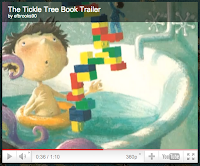
Chae Strathie, author of The Tickle Tree, found Elizabeth's Brooks book trailer on You Tube. He liked it. Here is his comment to Elizabeth:
Tickle Tree
To:efbrooks90
Hi Elizabeth
My name is Chae Strathie - the Tickle Tree guy!
I just came across your trailer and wanted you to know I really liked it. It was a lovely piece of imaginative production. My family and I were tickled pink!
I wish you all the best in your future career as a teacher (is that right?) and I hope you read your students some of my books!
With very best wishes
Chae
Congratulations Elizabeth!
Sunday, July 24, 2011
Friday, July 22, 2011
Final Questionnaire Has Been Gmailed

I have just sent the Final Questionnaire to all students at their Gmail addresses.
If you did not get the email or have questions, CALL ME or the EDM310 Help line.
Questionnaires must be completed by Midnight Sunday July 24, 2011. The questionnaire (and your video reflection) constitute your final examination in EDM310. You must complete both.
Monday, July 18, 2011
The E Fast Experiment
Soon I will write a longer post commenting on the E Fast Experiment and the results of its use in Summer 2011 EDM310. Right now I'll give you a quick summary.
Students had four options for Blog Assignment #14 which can be found on pp. 14-16 of EDM310 Blog Post Assignments Summer 2011:
1. A typical blog post on Pseudoteaching
2. A typical blogpost discussing a critique of the Khan Academy
3. Read one of some 15 books suggested and write a book report
4. Try to do an E-Fast (no electronics use) for 24 hours repeated up to three times if unsuccessful in maintaining the fast.
There are 30 students still enrolled in EDM310 this summer (2011) although only 28 are still active. We will use 28 as the base line for this report. Of the 28, four did not submit their Blog Post #14 on time. Three students read a book (Amusing Ourselves to Death by Neil Postman, 1984 by George Orwell and Teach Like Your Hair's On Fire by Rafe Esquith). Thirteen did one of the typical blog post assignments. Eight tried the E Fast experiment.
Of those eight, five were successful in going 24 hours without using any electronic entertainment or communications device such as a cell phone, computer, tablet, radio, TV, DVD player, etc. All but one of those participating in the fast found it more difficult than expected. Those who succeeded in fasting tried various strategies:
going to a farm with horses and goats (Amy Wilborn); spending a day with a boyfriend (Alana Escobio); spending a weekend with their family at the beach (Cinda Prescott who found it easier to do than expected); fishing, tennis and golfing (Heath Morris); being prepared by unplugging TVs, hiding phones and informing friends and family of the fast (Bobbi Jo Nelson). The three that failed all succumbed to the phone/smart phone. (Ouida McDaniel) called her mother. One of the students who failed the fast (Deana Nunn) even had her daughter answer SMS messages and telephone calls for her, sending dictated replies by SMS. Yet she still gave in and used her iPhone. Heather Rigby on her 3rd try turned off her iPhone but watched a funny You Tube video with friends on a friend's iPhone.
This assignment turned out to be a delightful experiment that demonstrated how ingrained the use of technology is in our current students and how it will be even more vital to the daily activities of their students in two years when they begin teaching. the posts of the students participating in the E Fast are a lot of fun to read. I hope you will do just that!
Students had four options for Blog Assignment #14 which can be found on pp. 14-16 of EDM310 Blog Post Assignments Summer 2011:
1. A typical blog post on Pseudoteaching
2. A typical blogpost discussing a critique of the Khan Academy
3. Read one of some 15 books suggested and write a book report
4. Try to do an E-Fast (no electronics use) for 24 hours repeated up to three times if unsuccessful in maintaining the fast.
There are 30 students still enrolled in EDM310 this summer (2011) although only 28 are still active. We will use 28 as the base line for this report. Of the 28, four did not submit their Blog Post #14 on time. Three students read a book (Amusing Ourselves to Death by Neil Postman, 1984 by George Orwell and Teach Like Your Hair's On Fire by Rafe Esquith). Thirteen did one of the typical blog post assignments. Eight tried the E Fast experiment.
Of those eight, five were successful in going 24 hours without using any electronic entertainment or communications device such as a cell phone, computer, tablet, radio, TV, DVD player, etc. All but one of those participating in the fast found it more difficult than expected. Those who succeeded in fasting tried various strategies:
going to a farm with horses and goats (Amy Wilborn); spending a day with a boyfriend (Alana Escobio); spending a weekend with their family at the beach (Cinda Prescott who found it easier to do than expected); fishing, tennis and golfing (Heath Morris); being prepared by unplugging TVs, hiding phones and informing friends and family of the fast (Bobbi Jo Nelson). The three that failed all succumbed to the phone/smart phone. (Ouida McDaniel) called her mother. One of the students who failed the fast (Deana Nunn) even had her daughter answer SMS messages and telephone calls for her, sending dictated replies by SMS. Yet she still gave in and used her iPhone. Heather Rigby on her 3rd try turned off her iPhone but watched a funny You Tube video with friends on a friend's iPhone.
This assignment turned out to be a delightful experiment that demonstrated how ingrained the use of technology is in our current students and how it will be even more vital to the daily activities of their students in two years when they begin teaching. the posts of the students participating in the E Fast are a lot of fun to read. I hope you will do just that!
Friday, July 8, 2011
Project 15 Now In Projects; Blog Post 14 Now in Blog Post Assignments
Project #15 is now in the Projects Manual. It has been there for some time but your Checklist cannot be changed by me so it still says To Be Determined. We are now at Version 7 of the Project Instructions Manual.
Blog Post #14 is now described in Version 7 of the Blog Post Assignments Manual.
Thursday, July 7, 2011
Lab Will Not Be Staffed Saturday July 9
The EDM310 Lab Staff and I will be attending the EdCamp Louisiana in New Orleans tomorrow Saturday July 9. As shown in the original schedule for this class, the lab will not have a staff person present tomorrow.
Monday, July 4, 2011
Amnesty Declared
Special Assignment #2 Due 7/3 was due last night at midnight. Forty percent (12 out of 30) of you missed the deadline. Because it is a very special holiday today, I am declaring Amnesty for those of you who did not submit Special Assignment #2 Due 7/3 on time as long as it is posted no later than midnight Sunday July 10.
And what about those of you who did Special Assignment #2 Due 7/3 on time? Well, I will apply your Amnesty award to any other assignment that was late. And since most of you always do your work on time (so do some of the "twelve"), I say Thank You Very Much!" I will try to find some special way to reward you later in the course.
Sunday, July 3, 2011
Mid Term Reflection
One of the questions I asked on the Mid term Reflection had to do with grades. Twenty-seven out of 30 active students replied to the questionnaire (90%). I agreed with the self-assigned grades in 78% (21) of the cases. In 3 cases I would have given an A in instances where the student gave themselves a B. In 3 cases I would have given a lower grade (1 B instead of an A; 1 C instead of a B; 1 D instead of a C). Poor writing explains every one of these cases. I have urged all three of these students to consider consulting the Writing Lab.
Of the three who did not complete the questionnaire and attend the two required classes on time, one has a medical excuse. The other two will have any grade I gave them (and will give them) reduced by one letter grade for not completing the questionnaire and attending the required class.
Here are the totals:
Student self-grades: A-17; B-6;C-4;D-0 Total 27
Dr. Strange: A-20; B-2; C-4; D-3; I (Medical)-1 Total 30
It would be better if we just determined when you had the skills, abilities and interest to move forward. Unfortunately, we have to give grades. And you will also (most likely).
Friday, June 24, 2011
Corrected Link For Carly Pugh's Blog Post #12
The link to Carly's page that is in the Blog Post Assignments Version 5 now works. Here is the Corrected Link For Carly Pugh's Blog Post #12 in case you are using Version 4 or earlier. Be sure you use the latest version of all materials! The latest versions are listed in the Essential Materials for Students and Visitors section in the sidebar to the right.
If you do not get Version 5 of the .pdf, clear the cache of your browser (in one to the menus).
Reminders from Class 6/23
1. The class on 6/23 was mandatory. If you did not attend you must provide me with a written medical excuse. The penalty for not attending entire class: one letter grade loss.
2. SMARTboard presentations were deferred until 7/7 (Thursday at midnight).
a. Must be a collaborative effort in which all use the SMARTboard at some time.
b. If you formed a new group, let me know the membership.
c. If you were absent or late you must join a group IMMEDIATELY and inform me of that.
3. I have postponed further work on Forms. I will notify you if we resume work on Forms.
Monday, June 20, 2011
Special Assignment #2 Due 7/3
You Should...
The very first thing many of you should do is to add the SPECIAL ASSIGNMENT #2 TO YOUR CHECKLIST. As of Monday 6/20 (5 days after it was due) eight out of 30 of you (27%) have not yet done Special Assignment #1.
Special Assignment #2 Due 7/3
This assignment should take approximately three hours to complete.
Some teachers find lectures a good way to summarize material, introduce new perspectives, raise alternative interpretations and convey information.
Some teachers (especially in math and the sciences) do not wish to repeat the same instructions to every student whom them encounter.
Students who miss class sometimes find lectures and other recorded instructions sets very helpful.
Here are 3 enormous sets of materials that very few teachers or preservice teachers know about:
Kahn Academy
iTunesU
TED
For each of these three collections,which are similar but also quite distinct,:
1. Find out as much as you can about them and in Part A of your post summarize what you have found for each of them in turn. Readers of your post should get a good understanding of what these collections are from this part of your post
2. Explore the collection to see what types of materials are there and how extensive they are. In Part 2 of your post a) summarize the extent and nature of each of the collections and indicate what teachers (and how teachers) might take advantage of materials in these collections. Each collection should be addressed separately
3. Watch at least one lecture/presentation/lesson from each of the three collections. In Part 3 of your Post identify the lectures, materials, or lessons you watched. Each identification label should be a link (button) that takes you to the material you used. Summarize what was covered in each of the three and evaluate each.
4. In Part 4 of your post indicate what the collections could do for you and your students when you begin teaching. Treat each collection separately in completing this portion of your assignment
5. Indicate in Part 5 of your post whether or not this assignment has surprised you and why or why not. Be specific.
Tuesday, June 14, 2011
Forms
A number of you sent out the Form before getting it approved. So I guess I will reverse my intended procedure and critique the forms after they have been sent out. That may be a better way to do it since I can show you common mistakes. We will send a second round to a different FORM Group later in the semester.
In the meanwhile....
a) If you have already sent your form, wait for the replies
b) If you get a form to fill out, please do so
c) If you have not sent out your form do the following
In the meanwhile....
a) If you have already sent your form, wait for the replies
b) If you get a form to fill out, please do so
c) If you have not sent out your form do the following
1) Review the new and improved Form Instructions I have added to the Projects ManualIf you need help come to the lab. Or call the Help Line.
2) Read my instructions and those of Google
3) Avoid these mistakes that have been made:
4) Now send your form TO YOUR GROUP ONLY (London, Paris or Venice).
- Too many text response items - they are difficult to analyze.
- Bad grammar and misspelling. PROOFREAD.
- Unfilled questions. Remove them. There is a trash can just to the right of the pencil that selects a question to edit.
- Questions are not required to be answered. Only on VERY RARE occasions should a question be not required. Unfortunately Google has this item set to an incorrect default (in my opinion).
- Sets are incomplete. There are answers that do not fit the choices.
- The questionnaire does not practice using all of the types of responses. Try at lease 5 kinds!
Sunday, June 12, 2011
Friday, June 10, 2011
More on Podcasts and Forms
Podcasts
A Google Doc has been put in your Docs that provides additional information about your podcast assignments. All podcasts will focus on Rafe Esquith's book Teach Like Your Hair's On Fire.
I have a limited number of books which will be available in the Lab on Monday 6/13. Check your local libraries. Share. Buy a copy. Amazon has it for $8.64.
Forms
Additional Forms Instructions and a Forms signup sheet have also been added to your Google Docs. You will fnd the name of the Form Group of which you are a member in the How to Contact Students ... Doc. There are 3 groups, each named for a great city.
A Google Doc has been put in your Docs that provides additional information about your podcast assignments. All podcasts will focus on Rafe Esquith's book Teach Like Your Hair's On Fire.
I have a limited number of books which will be available in the Lab on Monday 6/13. Check your local libraries. Share. Buy a copy. Amazon has it for $8.64.
Forms
Additional Forms Instructions and a Forms signup sheet have also been added to your Google Docs. You will fnd the name of the Form Group of which you are a member in the How to Contact Students ... Doc. There are 3 groups, each named for a great city.
Thursday, June 9, 2011
Update on Podcasts, Forms and Groups
Podcast Groups
Because 4 students have dropped EDM310 I have altered the Podcast Group for some of you. You can find the revised Podcast Group in your Google Docs (Students - How to Contact ...). You will find more information about Podcasts in a post on the Class Blog tomorrow (Friday). I will indicate the chapter(s) of Teach Like Your Hair's On Fire for which each Podcast Group will be responsible. I will also provide some additional Podcast instructions, changes in the Podcast due date and how to get a copy of the book for your group if needed.
Forms Groups
You also need to be in a larger group to do the Forms Project. The Forms Group to which you have been assigned can also be found in the Doc Students - How to Contact... . You will find more about the Forms Project in the Instruction Manual and in a post to the Class Blog either late tomorrow (Friday) or early Saturday and an accompanying Doc.
Because 4 students have dropped EDM310 I have altered the Podcast Group for some of you. You can find the revised Podcast Group in your Google Docs (Students - How to Contact ...). You will find more information about Podcasts in a post on the Class Blog tomorrow (Friday). I will indicate the chapter(s) of Teach Like Your Hair's On Fire for which each Podcast Group will be responsible. I will also provide some additional Podcast instructions, changes in the Podcast due date and how to get a copy of the book for your group if needed.
Forms Groups
You also need to be in a larger group to do the Forms Project. The Forms Group to which you have been assigned can also be found in the Doc Students - How to Contact... . You will find more about the Forms Project in the Instruction Manual and in a post to the Class Blog either late tomorrow (Friday) or early Saturday and an accompanying Doc.
Wednesday, June 8, 2011
Special Assignment #1 Due On or Before 6/15: If You Have A Question Try and Answer It!
In her blog post about Did You Know? Kelsey Hatward wrote: " I am curious to find out how much China has actually grown in three years."
I suggested she look it up.
I want you to do it also. You will learn about some very powerful search tools that you are not familiar with. Try this. Go to WolframAlpha. Search for Population China. You can answer your question. Better yet, search for Population China India United States.
After you have done that try something different. Go to Google Squared. Search for Countries. On the far right add Population. This is a search engine still being developed in Google labs so their are some anomalies. Add United Sates at the bottom of Column 1.
Your Special Assignment #1 - Due On or before 6/15
Do the two searches above. Comment in a separate blog post titled Special Assignment #1 as follows:
1. Did you know about WolframAlpha?
2. Did you know about Google Squared?
3. What percentage of China's population is the population of the United States?
4. What percentage of India's population is the population of the United States?
5. Now what do you think of the facts reported in Do You Know?
6. Do you think WolframAlpha and Google Squared will be useful for you? for your students? Why or why not?
Tuesday, June 7, 2011
The Next Stage in Using Twitter
You should now add additional to those you are following. I have added a document to your Google Docs listing 80 people whom I suggest you follow. Find them. Follow them.
You should also be following me (@drjohnhadley) and all the staff (see the syllabus).
You should also watch/follow #edm310.
If you spot a Tweet you want everyone in EDM310 to see, retweet it and add #edm310 on the end.
Next week we will expand your use of Twitter even more.
Saturday, June 4, 2011
Several Important Updates
Lab to be Staffed Saturdays 1-6 pm Starting June 11
Starting next week the Lab will be staffed every Saturday from 1-6 pm EXCEPT Saturday July 9, 2011
Blogger is Insisting That Some Posts Are Spam
Blogger and Google have declared a war on spam which, in my opinion, is much too aggressive. Several EDM310 students have reported that comments they have left on other students' blogs are not appearing. EVERYONE must check for spam. The instructions are in the Instruction Manual but I will summarize what you must do - NOW - and at least every other week.
1. Go to your Dashboard in Blogger
2. Click in the bottom row on Comments
3. You will go to a page that looks like this. Click on the Spam tab
4. If you see any posts in this SPAM area that are not spam and which need to be posted, click on the small box on the left of all that are Not Spam. Then click (at the top or bottom) Not Spam. The posts will then appear on your blog.
If you are leaving a comment that is NOT appearing on a student's blog: contact them, by telephone or Gmail, and ask them to follow the instructions in this post. I am certain they will find that your posts have been mislabeled as Spam by Blogger.
Twitter
A number of you have begun to Tweet! Great! Be sure to follow @drjohnhadley (me), all of the lab assistants (see the syllabus for their Twitter names), and the people on the list linked to through the Instruction Manual. Following the right people is the most important part of Twitter.
In addition, follow #edm310. The # sign is essential. It is like a folder in which I place all tweets I want all EDM310 students to see, read, and act on. Follow other members of the class as well, especially the students in your group. You now have a Doc that lists all students, their phone numbers, Gmail addresses, group number, and Twitter names. If I do not have your Twitter name, send it to me by Gmail. The ones I have I got from tweets of those following me.
Starting next week the Lab will be staffed every Saturday from 1-6 pm EXCEPT Saturday July 9, 2011
Blogger is Insisting That Some Posts Are Spam
Blogger and Google have declared a war on spam which, in my opinion, is much too aggressive. Several EDM310 students have reported that comments they have left on other students' blogs are not appearing. EVERYONE must check for spam. The instructions are in the Instruction Manual but I will summarize what you must do - NOW - and at least every other week.
1. Go to your Dashboard in Blogger
2. Click in the bottom row on Comments
3. You will go to a page that looks like this. Click on the Spam tab
4. If you see any posts in this SPAM area that are not spam and which need to be posted, click on the small box on the left of all that are Not Spam. Then click (at the top or bottom) Not Spam. The posts will then appear on your blog.
If you are leaving a comment that is NOT appearing on a student's blog: contact them, by telephone or Gmail, and ask them to follow the instructions in this post. I am certain they will find that your posts have been mislabeled as Spam by Blogger.
A number of you have begun to Tweet! Great! Be sure to follow @drjohnhadley (me), all of the lab assistants (see the syllabus for their Twitter names), and the people on the list linked to through the Instruction Manual. Following the right people is the most important part of Twitter.
In addition, follow #edm310. The # sign is essential. It is like a folder in which I place all tweets I want all EDM310 students to see, read, and act on. Follow other members of the class as well, especially the students in your group. You now have a Doc that lists all students, their phone numbers, Gmail addresses, group number, and Twitter names. If I do not have your Twitter name, send it to me by Gmail. The ones I have I got from tweets of those following me.
Wednesday, June 1, 2011
Correction
In your Checklist you will find that Wordle is listed as Project #2 and Blog Post #2. The correct listing should have been
Blog Post #2 (4 items as shown on Blog Assignments)
Project #2 - Wordle (which must be posted to your blog).
Please make this correction to your checklist.
Thanks!
Blog Post #2 (4 items as shown on Blog Assignments)
Project #2 - Wordle (which must be posted to your blog).
Please make this correction to your checklist.
Thanks!
Subscribe to:
Posts (Atom)