
Friday, January 31, 2014
Lab Open Saturday 2/1/14 From 9-6


Thursday, January 30, 2014
Important Change to Blog Post Assignment #3

We did not complete the rubric as fast as I had hoped. Since this is the first semester in which I decided that you would put it to use, I made a guess about timing and I was wrong. That's not the first time I have been wrong! When you conduct experiments (as I am always doing) you seldom get it right the first time. So… I have moved the application of the rubric as an evaluation mechanism for classmates to Blog post #5. That gives us 2 weeks and a mandatory class meeting next week to get things sorted out.
Thanks to several students for raising questions about this.
Another thing: we are now using Blog Post Assignments Version 4. Be sure you are up to date.
Monday, January 27, 2014
Only 9 Missing This Week

An improvement. Only 9 students do not have Blog Post #2 posted at this time.
Wednesday, January 22, 2014
Mandatory Date Change for Tue/Thur Classes

The mandatory classes originally scheduled for Tuesday February 4 HAVE BEEN CHANGED TO THURSDAY FEBRUARY 6, 2014.
Change your calendars accordingly.
Monday, January 20, 2014
Week 1 Report - 10 No Shows; 2 Late

Ten (10) students did not do Blog Post # 1.
Two (2) additional students were late with their work.

Comments for Teachers (C4T) and Comments for Classmates (C4C) Assignments Now in Your Google Drive

Instructions for C4C can be found in the Project Instruction Manual, Project 4 (p. 14 ).
Instructions for C4T can be found in the Project Instruction Manual, Project 5 (p. 14 ).
Sunday, January 19, 2014
Lab Closed Monday 1/20/2014

No classes will be held and the Lab will be closed Monday January 20, 2014, Martin Luther King Day.
Responses to Questions

In the Initial Questionnaire several students took advantage of the opportunity to raise questions about EDM310.
Here are my responses:
1. "Are there participation points for perfect attendance?" We will develop rubrics for grading various activities in class. Mandatory classes are required. If you miss any mandatory class without a valid medical excuse your will receive a penalty that lowers your final grade by 1/2 grade for every mandatory class missed without a valid medical excuse. This also applies to group meetings set for the times designated for your EDM310 class. See Response #8 below.
2. "Will we be given warning of upcoming projects, events or activities, or are we on our own?" You already have that information available to you. All class activities are to be found in the Checklist Master. Be sure you are using the latest version as indicated in the right column of the Class Blog.
3. "Even though assignments are online, will there be in class demonstrations of the materials?" Sometimes. Other demonstrations are on video. Still others can be found through searches using Google or other search engines. In some cases students will present their projects in class which serve as a type of demonstration.
4. "A more in depth explanation on what is considered plagiarism." Coming very soon.
5. "When are lab hours? Will we be allowed to use our current classroom for lab or will another lab be available?" Lab hours are in the Syllabus and will be posted Tuesday outside both doors to the Lab. The classroom in which we have been meeting is the Lab.
6. "Will Saturday lab hours be available because I need extra help?" At the time I write this answer the Lab will be open on the following Saturdays from 9 am - 6pm: 1/25/14; 2/8/14; 2/22/14; 3/1/14; 3/15/14; 3/29/14; 4/12/14; 4/26/14. We hope to be able to have the Lab open every Saturday but we have not gotten the funds to do this yet. Watch the Class Blog, the posters to the right of the Lab doors, and changes to the Syllabus for further information.
7. "Explained the assignments and projects more in depth then just as instructed." Explain, not explained. Than not then. I do not understand what is being asked. If you have questions about any of the assignments or projects contact me or one of the Lab Assistants. Ask! We can be contacted by phone, email, in person in the Lab, through the EDM310 Facebook page. Later in the semester you can also contact us through Skype or Twitter. If you have an iPhone you can use FaceTime to contact us. The main point is to read what we provide you, search for answers on the Internet, come to the Lab for assistance, contact any of us through any of the means identified.
8. "Will we be meeting outside of scheduled call [I think you mean class] time, and if so how often?" The class has designated mandatory meeting times. If necessary, they may be changed to any time designated for the classes (MW4-5:15; TT 11-12:15; TT 2-3:15; W 6-8:15). If you cannot come to your mandatory class you can usually come to another class with advance permission. Your groups will meet several times to work collaboratively on projects. The groups can set their own meeting times and places (or use technology to hold electronic meetings). However, if a group cannot unanimously agree other than the time scheduled for the class to which you are assigned, you will be required to meet during the time scheduled for your class. You must not schedule yourself to work or participate in other activities during the times scheduled for your class, whether or not a mandatory class meeting has been declared in the Checklist and/or the Syllabus. Sometimes students think that since there are no mandatory classes set for a particular week or day that they can schedule themselves to work or to do something else. That is not correct.
9. "Yes, I would like to know the importance of having a Mac as opposed to another portable." Why a Mac?
- They are the only computers used in Baldwin County.
- Approximately 20% of the classes in Mobile County use Macs. Mobile County,for the most part, supports teachers in the use of the BYOD (Bring Your Own Device)method for providing technology in the classroom. Most often that results in the use of smartphones, iPads and some portable computers. This will change or Mobile County will encounter significant negative feedback concerning their approach to the provision of technology to students.
- They do not have viruses
- They work. PCs often do not
- They are easier to use in creating videos and other technology based instructional material
- They cost less in the long run - repairs are needed much less often, resale values are much greater
You can use a PC (or an iPad) in EDM310.
Our experience, and the experiences of those who have switched, lead us to strongly recommend Macs.
Email or call me if you want to discuss this further.
10. "Why is this questionnaire so extensive? What will it be used for? Also, honestly, some of the questions seemed intrusive and much more in-depth than what I am accustomed to for a college class." I have a lot of questions to ask. The responses are used in many ways. Most uses have to do with efforts to change the classes so that they better meet the needs of students. For example, schedules are often developed with no understanding of the times students prefer to choose among. Your responses help us understand those factors. In other cases, the same questions will be asked in the middle and at the end of the class to see if changes in attitudes or abilities are occurring. I also use the data to try to understand what factors affect student participation, attendance, and completion rates. Questions are the most vital part of learning. I hope you ask a lot of questions all the time. You say the questions are more in-depth than your previous experiences. I hope that my questions will lead to more improvement in EDM310 than if I did not find out as much as I can about my students. As for questions that are "intrusive", I am at a loss to respond since I do not believe any are intrusive. If you can provide me examples and your reasoning for designating them intrusive, I will reply. Please leave a comment for this post or send me an email.
Wednesday, January 15, 2014
Monday, December 16, 2013
$ 320 added to EDM310 Scholarship and Award Funds

Are you a student? Do you want to try Amazon Student free for 6 months? Just click on Amazon Student. Your free trial, when you use this link, will result in a $ 40 increase in EDM310 scholarship and prize funds.
Tuesday, December 10, 2013

Saturday, December 7, 2013

Thursday, December 5, 2013
Final Questionnaire Has Been Sent

I have just sent the Final Questionnaire to all students at their Gmail addresses.
If you did not get the email or have questions, CALL ME or the EDM310 Help line.
Questionnaires must be completed by Midnight Sunday December 15, 2013. The questionnaire (and your video reflection) constitute your final examination in EDM310. You must complete both.
Friday, November 29, 2013
Foliotek Instructions

1. You must have registered for Foliotek unless you are exempt. The following are exempt from using Foliotek: a) those seeking only recertification or license renewal; 2) students who are not seeking candidacy status; students who are not Education majors. Foliotek costs $ 35 for one year. NOTE: Several students who are in their first semester at USA report they are not being charged for Foliotek. If this happens to you - just smile. At least for the time being. Your smile may not last long, however. They usually bill you later.
To register and pay for Foliotek follow these instructions:
a. When using Foliotek use Chrome or Explorer browsers ONLY.
b.Go to the USA Online Login page.
b. Login. Your User ID is your J number. Your password is the last 4 digits of your social security number.
c. Click on Sakai. Then click on a class which requires the use of Foliotek. Then click Foliotek in the left column. If you have not established a Foliotek account, do so. You will have to pay by credit card. After all information has been entered you will have to Accept the Foliotek rules, etc.
2. Once you have registered and paid for Foliotek and Accepted the Foliotek rules, etc. you will be able to post to Foliotek.
Think of Foliotek as a storage device in the sky where you will store evidence of your accomplishments in the College of Education. Every course you take in the COE has state established standards which you must meet. You must store the evidence used to determine whether or not you have met these standards in Foliotek where anyone desiring to can see that evidence. Your instructors will provide detailed instructions of what evidence must be submitted for what standards. You then place electronic copies of that evidence in Foliotek.
In EDM310 all of your evidence for all of the standards associated with EDM310 is in your blog and the EDM310 Class Blog. Therefore your blog and the Class Blog are what "go" into Foliotek. Since your evidence consists entirely of blogs we only have to provide Foliotek with links - links to your blog and the Class Blog. Therefore completing the Foliotek requirements for EDM310 is quick and easy.
You will need:
1. A list of the standards associated with EDM310. They are:
Literacy: Oral and Written Communications (3)(c) 1.(iii)
Literacy: Technology (3)(c) 4.(i)
Literacy: Technology (3)(c) 4.(ii)
Literacy: Technology (3)(c) 4.(vi)
Professionalism: Ethics (5)(c) 5.(ii)
Professionalism: Ethics (5)(c) 5.(iv)
For Elementary Majors ONLY: General Special Education: 290-3-3-.34 (2)(g)2.(iii)
Note that the standards are grouped into Literacy, Professionalism and Teaching K-6(for General Special Education). (There are other groups.) Also note that there is one small letter i (or two or three of them) at the end of the numbering system. These are VERY IMPORTANT. Be sure you pay attention to them!
2. You will need the URL to your blog and the URL for the Class Blog ( http://edm310.blogspot.com )
3. Then follow the instructions in Foliotek Instructions.
4. After you have completed Foliotek, your entries must be checked in person by one of the EDM310 staff members. This is an ABSOLUTE requirement and it must be done in class before 4 pm Thursday December 5, 2013. If one of us does not sign off on your Foliotek entries in person you will get an I in the course. And if you do not complete Foliotek (which is a GREAT hassle for you and an even greater hassle for Dr. Strange) no later than Friday January 31, 2013 your I will become an F no matter what you would have gotten in the course.
Tuesday, November 26, 2013
Lab Hours Thanksgiving Week
We have extended Lab Hours this week since the Final Projects are due at the start of class next week.


Sunday, November 24, 2013
Creating a Movie for an iBook from YouTube
If you are creating an iBook and do not have the original movie files you can create a widget in order to use your YouTube videos in your iBook. To create a widget you need to create a free account through bookry.com. After creating an account you will create a book that you are writing within the Bookshelf tab. After creating your book then add a widget. For every YouTube video you would like to use you need to create a new widget on Bookry. Once you have created your widget you will need to save and then click download. After the widget has been downloaded you can just drag and drop these widgets into your iBook. All you need to create the widgets is the URL for the YouTube video.
Lindsey Estes
Lindsey Estes
Tuesday, November 12, 2013
Time Extended

Monday, November 11, 2013
Dr. Strange Visits Mrs. Yollis' Class
On Friday November 1, 2013 I had the great pleasure of visiting the famous 3rd Grade Class of Mrs. Yollis. Mrs. Yollis is famous in EDM310 (and around the world). Her Class Blog won the Edublog Best Class Blog Award in 2012 and 2011. She inspired the post How's Your A? Some of You Will Not Make It Through the 3rd Grade!
The students interviewed me, asking excellent questions. They then demonstrated how they blogged using their Macs and iPads, how they typed (a lot faster than I do!), how they worked together in teams, how they captured and edited video, how they animated posts and drawings on their iPads. I wish all of you could have visited the class. It was exciting to see the learning that was taking place! And I was excited to finally meet the wonderful Mrs. Yollis and her students!
 Mrs. Yollis' Students Interview Dr. Strange
 Selecting Images for a Blog
 Blogging
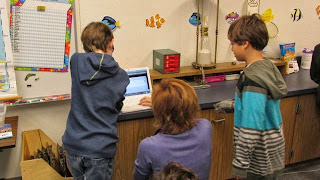 Mrs. Yollis Demonstrating
The students interviewed me, asking excellent questions. They then demonstrated how they blogged using their Macs and iPads, how they typed (a lot faster than I do!), how they worked together in teams, how they captured and edited video, how they animated posts and drawings on their iPads. I wish all of you could have visited the class. It was exciting to see the learning that was taking place! And I was excited to finally meet the wonderful Mrs. Yollis and her students!


C4K Special Instructions

We end our C4K activities for the Fall 2013 Semester with several special assignments. This week we will leave comments on class blogs for Mrs. Jenny She, Mr. Marks, and Ms. George all of whom teach at Pt. England School in New Zealand. We will also leave comments on individual student blogs in Mrs. Cassidy's first grade class in Moose Jaw, Saskatchewan, Canada. And we will leave comments on the class blog of Mrs. Yollis. Be sure you read my post about Mrs. Yollis and her rejection of comments because they did not meet third grade standards: How's Your A? Some of You Will Not Make It Through the 3rd Grade! Don't let that happen to you!
In addition, the way you will do your C4K this week will change. Most of you will be commenting on posts on a Class Blog. The title of the post is specified in the C4K instructions. Find the corresponding title in the Blog Archive column, click on it, read the post and watch the videos (if any) or the video specified in the instructions. Leave your comment for the Class.
Some of you will be leaving comments for individual students. If you are to leave a comment for a first grader in Mrs. Cassidy's class, comment on at least two of the student's posts. If you are commenting on the blog of a student in Mr. Mark's class, follow the normal C4K procedures.
Wednesday, November 6, 2013
iCurio Access Expired And What About Project #15?

1. Individual plan not requiring access to iCurio to create it. If already done, I can still access iCurio so the Learning Plan will be OK.
2; Individual SMARTboard lesson (but would be more sensible to do a SMARTBoard collaborative lesson which would mean that SMARTboard B (Project #12B) and Project #15 could be the same Project.
3. A SMARTBoard collaborative esso which would mean that SMARTboard B (Project #12) and Project #15 could be the same Project.
I have revised the Project Instructions. We are now using Version 7.
Subscribe to:
Posts (Atom)


 Posts


