Visit The EDM310 Alumni Blog Amazing! An Alumni Blog! Thanks to Jackie Gorski and all of her co-authors!

Monday, March 28, 2011

Mr. McClung's World - Special Instructions for C4K Due 4/3 and for SPECIAL ASSIGNMENT Due 4/10

Mr. McClung's World logo
Last week you read Mr. McClung's post in which he reflects on his teaching. Now we take a look - in depth - at his class blog.

As you do this assignment think about a) how Mr. McClung uses his blog Mr. McClung's World; b) how he has put his blog together; c) what you know how to do with your blog; d) what you do not know how to do with your blog; e) how Mr. McClung's students interact with his blog; g) how others (parents, teachers, administrators, students like you) can interact with and make use of his blog. Also think about how this 8th grade blog differs from other blogs you have visited including other 8th grade blogs. These questions will form the basis for a SPECIAL ASSIGNMENT described in more detail below and due 4/10.
First:
Look at the links that are at the top. Click on Welcome. Read it.
Click on Mr. McClung. Read what he says about himself. This will expand on what you learned about him last week.
Click on Class Rules - read them and reflect about what they say about Mr. McClung, his teaching, and his connection with his students. Think about your reaction to these rules (and guides) as a student and as a teacher.
Click on Syllabus. Note the first thing under Everyone needs. Why do you suppose that is the first requirement? Note the penalties for being late (under Homework). Compare them with my penalties for being late. Read carefully his paragraph about what he hopes to accomplish with his blog.
Click on Useful Links. Review them all. Click on at least two and explore.
Return to Mr. McClung's Home Page and click on Internet Safety. Read carefully the rules he sets forth for safely using the internet.

As I pointed out in the last sentence of the before the set of instructions starting with First, these questions will be used in a SPECIAL ASSIGNMENT due 4/10 which is described in more detail below.

C4K#7 Assignment
Now we turn to your C4K#7 Assignment. Note that most posts have a "read more..." button. To get the entire post you will often have to click on Read more... We are starting with the post for March 28: Prosser's Gabriel. Note that all posts are Filed Under some category. Prosser's Gabriel is filed under Band of the Week. Other posts are filed under topics such as Lessons Learned, Social Studies, Videos, etc.

In the Google Docs you are assigned to a specific post. In some cases the post has many parts and you are assigned to a specific part of a specific post. For example you might be assigned to Lessons Learned: Three 9:23. You find the Lessons Learned Post that has this subsection. You read the subsection assigned to you. You leave a comment on the post BUT you must also say what part you are responding to. Another example would be Talent Show: T-Man. That happens to be the first video under Talent Show. Watch it. Comment on it in the comment area for that post and indicate you are commenting on T-Man's performance.

To summarize:
Find your assigned post or part of a post.
Read/watch it.
Leave a comment on the post and if there are multiple sections indicate which section you are commenting on. Be sure you identify yourself as being in EDM310.
THEN click on one of the categories under which your post is filed. Look at other posts filed here. You will use your observations in the Special Assignment discussed below.

SPECIAL ASSIGNMENT
We are conducting an in depth examination of Mr. McClung's World. After you have completed your C4K#7 assignment, do this Special Assignment.
In a post on your blog due no later than midnight 4/10, answer these questions:

1. What do you know (or have you found out) about Mr. McClung that is reflected in the way he has constructed his class blog?
2. Comment on what you would say about Mr. McClung as an educator.
3. I asked above that you read Mr. McClung's "rules" and think about them. What do they say about Mr. McClung, his teaching, and his connection with his students? What is your reaction to these rules (and guides) as a student and as an aspiring teacher?
4. What was the first thing under Everyone needs? Why do you suppose that is the first requirement?
5. Note the penalties for being late (under Homework). Compare them with my penalties for being late. Comment.
6. Read carefully his paragraph about what he hopes to accomplish with his blog. Comment and apply to your own aspirations as a teacher.
7. I asked you to review at least two Useful Links in depth after reviewing all of them. Which two did you review in depth? Describe each of the two. How might each be used? Why do you think each made Mr. McClung's list.
8. Under Internet Safety I asked you to read carefully the rules Mr. McClung sets forth for safely using the internet. Comment on these rules. Are there any you would add or subtract.
9. In the C4K part of this blog I asked that you look carefully at one of the categories under which you assigned post was filed. What did you find? Select one of the posts in the category and review it for me.
10. Mr. McClung uses Edublog as his blog host. In some ways it may seem more "advanced." But Blogger has many abilities that we have not covered in EDM310. This leads to this question: Is there anything (or things) that Mr. McClung can do with his blog that you would like to do in Blogger?
11. In what ways does Mr. McClung make his blog useful to parents, teachers, administrators, students like you, and others?
12. How does Mr. McClung's 8th grade blog differs from other blogs you have visited including other 8th grade blogs? Why the differences do you think?
13. Add any additional comments you think would be useful in analyzing Mr. McClung's World in depth.

Wednesday, March 23, 2011

Enter First Gift to USA Video Contest - Win iPad 2

University of South Alabama Logo and the words First Gift
The First Gift USA Video Contest
EDM310, in cooperation with the University of South Alabama Office of Development, is looking for an original video to let your fellow students know how they can and why they should contribute to the University of South Alabama.
For the last ten years or so the University of South Alabama has conducted a Faculty/Staff Campaign in which USA faculty and staff are asked to give back to the University to create scholarship funds for students and to support other activities of the University. Often these gifts have been matched by the University and/or individual members of the faculty or staff. Last year The William Chamberlain Fund was established to provide annual prizes to EDM310 students who exhibit an unusual ability and interest in using technology effectively in teaching.
We would like to expand this annual effort to students as well as faculty and staff. Can you (or a group of you) create a short (no more than 2 minutes) video to encourage USA students to participate in a student fund raising drive through a “First Gift to USA”? These gifts can be designated to support any of the initiatives currently supported by gifts to the Annual Fund, including the William Chamberlain Fund. Or new initiatives can be started.
This effort is modeled after a very successful effort at LSU which ultimately raised over $750 million dollars for LSU. Our goal is not as grand, at least not yet. We want to experiment with a First Gift campaign and, if successful, expand it beyond EDM310 to the rest of the students at USA. Will you help by creating a short video encouraging USA students to make a “First Gift to USA”?

The Contest
You can help by creating video of no more than 2 minutes in length using an iPhone, iPad, iPod Touch, iPod Nano with video, Flip camera, etc. that lets your fellow students know the ways they can contribute to “First Gift to USA”. All submissions that meet requirements (see “Rules”) will be judged by a panel consisting of students, faculty, and staff members. The submissions will also be featured on the EDM310 Class Blog.


Prizes
Grand Prize – A 32 gig Wi/Fi 3g iPad 2 (or iPod Touches for up to 3 people). NOTE: Efforts are underway to increase the prize to an iPad 2 per team member. We will keep you posted about whether we secure these prizes or not.

Rules
Click Rules and read them. Or, if you are currently enrolled in EDM310, the Rules have been shared with you and you will find them in your Google Docs. Then enter the contest. Entries will be accepted through midnight Sunday April 17, 2011.

If you have an entry which you want to submit, contact Dr. John Strange to how to deliver your video to the judges. DO NOT submit your video to YouTube or any other "cloud storage" that can be accessed by the public until all judging has been completed.

You should take a look at the LSU Contest winner and the top two runner-ups.

Sunday, March 20, 2011

Mid Term Reflection

Wicked Witch reflecting in a mirror
Most of you reflected on your grade the same way I did. there are now 130 students enrolled in EDM310. 83 of you would give yourself the same grade that I would give you.

19 you are more critical of your performance than I was. I would give 18 of you a grade one grade higher than you gave yourself. One person gave themselves a C and I would give them an A.

16 of you were not as critical of your work as I am. 13 gave yourself a grade one level higher than I would have given you and 3 of you gave yourself a grade two levels higher than I would have given you.

10 students did not return the questionnaire. There were no surprises in this list and there should be no surprise when they get their grades (unless they drop the course).

2 of you gave yourself a D and I agreed.

I will be contacting 10 of you who completed the midterm questionnaire and gave yourself a passing grade (C or better) but I would have given you a D or F. Maybe I do not have the correct information about your work. Maybe you have completed work that I show as not being completed. Maybe there is some other explanation. If so, we need to get it straightened out. And then, there may be some of you who are hoping rather than honestly evaluating your work so far. Sort of like the wicked witch looking in the mirror - she thinks she looks better than I think she does. We will talk about it. I will send you an email tomorrow if you are one of the 10 to whom I need to talk.

Monday, March 14, 2011

iPad 2 - Try It out!

i Pad 2
I have a 32 gig Wi-Fi only iPad which I will have in the Lab this Wednesday between 1 and 3. Yes, it is Spring Break but can you wait another week to see it? And you can use it Wednesday.

Cone join me!

Tuesday, March 8, 2011

Update: Mid Term Questionnaire Has Been Sent By Gmail

Evaluations

The picture is a screen shot of 1 of 4 pages of our version of your checklist. I thoroughly mixed the names before capturing this photo and I also only reproduced a portion of our records.

You have been keeping your checklist. How does it look? An explanation of the colors. Yellow represents excellent work. Red means an assignment was not done. Pink represents a late assignment or one that was not done satisfactorily. Purple is for sick days or other special reasons. Orange means a special set of instructions was given.

Why am I showing you this? I have sent you a Gmail with a link to the MidTerm Questionnaire/Reflection/Exam. You will be asked to evaluate your work so far in EDM310. Honestly. We know the answers to most of the questions we will ask you about your performance. The picture is a reminder of that.

If you do not get the Gmail with the link to the Questionnaire, send me at email to strange.john@gmail.com

One of the things we will ask about is whether your sidebar on your blog meets the requirements of p. 11 of the Activities Instruction Manual. You might want to take a look at it before you get the questionnaire. If your blog is not in shape you should make the necessary corrections soon. Remember you should have a link that works for your email address.

We will also ask whether you can write the code necessary to put a button in a comment. Mrs. Yollis' class can and they are only 3rd graders. If not, be sure you learn how to do this and make use of your newfound knowledge during the remainder of the class.

I will also ask you about your grade. I hate grades. But I have to give them at the end of the semester. If the semester were over right now, what grade would you give yourself? Honestly.

Summary results will be posted by the time Spring Break is over.

Remember, this Midterm Questionnaire is considered to be equivalent to a midterm exam. It MUST be completed no later than midnight Sunday March 13, 2011.

Thursday, March 3, 2011

Sharing - How to Give

On the Web
William Chamberlain Technology Teaching Award
Colleges Against Cancer ($10 minimum on web). Be sure to note that the contribution is for the USA Chapter and that you are in EDM310.

Checks
Put in envelope. Put your name on the envelope. Put the group or groups you are contributing to on the envelope. Put the envelope in box in Lab

Cash
We prefer that you not give with cash. If that is the only way you will contribute
Contact
Colleges Against Cancer: Leave a Comment for Tiffany Fey on this blog post.
or William Chamberlain Technology Teaching Award: Call the USA Development Office and ask for Cris Smith 251-460-7032.

Participation
USA Development Office Video Contest. Instructions will be in a post on this blog titled Video Contest no later than Sunday 3/6.
Colleges Against Cancer: Respond to the email sent to you by Tiffany Fey.

Your Participation in some manner (Make a Gift, Participare in Relay for Life, Help Colleges Against Cancer in other ways, Participate in the development of a video for the Development Office) makes a difference!

Why does it matter?
The more participants we get, the more matching money there will be.
If there are 60 or more participants, I will match the Crusade for Cancer Donations so a $10 gift becomes $20. I will match the William Chamberlain EDM310 Fund so a $10 gift becomes $20. AND the University will match that so a $10 gift becomes $40!

If there are 100 or more participants, I will double match the Crusade for Cancer Donations so a $10 gift becomes $30. I will double match the William Chamberlain EDM310 Fund so a $10 gift becomes $30. AND the University will match that so a $10 gift becomes $60! My total is limited to $2,000.

Let's see what EDM310 can do!

Tuesday, March 1, 2011

Sharing - What Can EDM310 Students Accomplish?

Giving hands
Two years ago as this version of EDM310 was nearing completion, I was intrigued by the efforts of @wmchamberlain, @jarrodlamshed and @joemcclung to introduce sharing into their class curricula. Mr. Chamberlain devised a way for his class to contribute to Daraja Academy in Kenya. Mr. Lamshed created an event in which he and others sacrificed their hair for the Australian equivalent of the American Cancer Society. Mr. McClung and his class raised money for the Susan G. Komen for the Cure Foundation.

I have wanted to add a component to EDM310 for Sharing. We will inaugurate it this semester for the first time. Tiffany Fey is one of the USA leaders of Colleges Against Cancer. I read about her efforts in her first blog post and thought CAC might be a good charity to assist.

In addition, the University of South Alabama has an excellent program of giving for faculty and staff, but none for students. In fact, the William Chamberlain Fund which awards $500 each year to a student or students in EDM310 for outstanding commitment to and ability in using technology in teaching is a beneficiary of the faculty/staff campaign. I want to support that effort and also to create the possibility of extending the faculty/staff effort to students and parents in all parts of the University of South Alabama.

So.... here is what we are going to do.

Each of you will be asked to contribute to either the CAC or the William Chamberlain Fund. This is purely voluntary, but we hope you will join us in supporting one or both of these efforts.

In addition, a number of the EDM310 community (alumni, current students, staff and I) have watched three short videos of LSU students which resulted in a campaign for LSU that raised $750 million dollars. Yes, $750 million dollars.

So a third way you can support our EDM 310 Sharing Effort is to participate with a team of 2 or 3 other EDM 310 students in creating a USA fund raising campaign video. The LSU examples will be posted on the Class Blog soon.

Now here are the incentives:

We want to encourage participation in these efforts. So if 60 EDM310 students participate this year, I will match any cash donations. If at least 120 EDM310 students participate, I will double match any cash gifts to the William Chamberlain Fund up to a total of $2,000.

The videos created as a part of this effort will be judged a team appointed by the USA Office of Development and Alumni Relations. The members of the winning team will receive a special prize which we will announce soon.

What do we mean by "participate"?
Any person that gives at least $5 to either the CAC or the William Chamberlain Fund.
Any person that acts as a team captain, or who participates in the CAC Relay, will count as a participant.
Any person that participates on a team that produces a video for the Office of Development will count as a participant.

Our goal is 100 participants so that cash gifts will be doubled by me (twice if to the William Chamberlain Fund). In addition, the University will double any amount that is given to the William Chamberlain Fund.

If we get 60 participants (as defined above) and you contribute $10 to the CAC, that $10 will be matched by me and $20 will go to the CAC. A contribution to the William Chamberlain will result in even more matching. If we have 100 participants I will double match and the University will match that. So $10 would be double matched (up to a total of $2,000 total for CAC and the William Chamberlain Fund) and the total would be $30. The University would then match that and $60 would be added to the William Chamberlain Fund.

Tiffany will be sharing a Google Doc with you later this week detailing how you can volunteer to help the CAC. She will also share with you a gift form for the CAC. I will be posting on the Class Blog a gift form for the William Chamberlain Fund. I will also post links to the LSU student videos and will share with you a signup sheet for a video for our Office of Development.

Contributions will be accepted until April 18 at noon. Videos will be due April 18 at noon.

This project is entirely voluntary. We do want you to participate in some way, however. That explains the incentives we have added to this effort.

Let's see what EDM310 can do.

SignUp Sheet for SMART Presentation

Sign Up Now!
The SignUp For Smart Presentation Sheet has been added to your Google Docs.
Assign one member of your group to fill in the SignUp Sheet.
Select a time for your group to present. Hopefully there will be two groups (A and B) per time slot so we can rotate present and audience. REMEMBER Tuesday 3/8 is Mardi Gras and the University will be closed.
List the last names of all group members in the same box (time slot).
If you are unable to find a suitable time for your group, send an email to edm310help@gmail.com and propose an alternate time.

Correction to Checklist

Shoulder Patch that reads Corrections

The Due March 6, 2011 shows C4K#5. That is incorrect. It should be C4K#4.

The Due March 13, 2011 shows no entry for C4K. Add C4K#5.

Thursday, February 24, 2011

Revised Instructions SMARTboard and Forms

Mistakes I've Made Book Cover
Later this semester you will watch /read Mr. Joe McClung's reflective evaluation of his first year of teaching. In that video he says you always need to have a backup plan for use when things don't go as anticipated.

Well, we have encountered a Mr. McClung moment:

So here is our backup plan for SMARTboard lessons and FORMS. (If you and I have agreed to another plan, that is OK and will be acceptable.)

For the Smartboard project, at least one group member must download Notebook 10 from the Windows or Mac link below.  Notebook 10 is similar to powerpoint, only it is designed for educators for the purpose of making lectures more interactive.  To get you started, you may go to Smart Exchange to view some lessons that other teacher have built by grade and subject. For your project you should have a grade level in mind, choose a topic, and build your lesson to teach your topic of choice.  

There have been many questions about the FORMS part of this project that is due BEFORE the smartboard lesson.  We have asked you to create your form as if you were going to use it as a test for your students after they have participated in your smartboard lesson. Alternatively it could be a form evaluating your lesson and presentation by other professionals (your audience). It should be ten questions long, and should use at least four different types of questions.  In order to do this part of the assignment, you should think through what you plan to teach, how you plan to teach it, and for the purpose of the form... what questions your students should be able to answer after having experienced your lesson. Be sure to share your forms with edm310forms@gmail.com

You will need to install the SMART Notebook software on your computer. Be sure to install the drivers if you are asked whether you want them or not

Go to: 

WINDOWS smart tech link
-http://www.smarttech.com/us/Support/Browse+Support/Download+Form?download=SMARTNotebook10_6SP1SMARTProductDrivers10_6SP2Win2
MAC Notebook Download link
-http://www.smarttech.com/us/Support/Browse+Support/Download+Form?download=SMARTNotebook10_6SP3andSMARTProductDrivers10_6SP2Mac

Follow the download instructions and when it asks for a product key, enter the code that I have emailed to you:

Be sure to explore and play with the software fearlessly. DO NOT BE AFRAID TO MAKE MISTAKES.  The University gets recognition for any quality SMART lessons you create, so put your best effort forth and have fun!

Frequently Asked Questions

-Do we make up our own group?
-Do we pick a topic for the Smartboard project and questionnaire, or will we get a list in Docs to choose from?

My response:
You can either use the group that did the podcast or join/create a new group.

You are in charge of selecting the topic for your lesson and creating it.

The form is to be done by the group or a designated member (group better).

You will sign up for a presentation time and there will be another group at that time. You will be audience and presenters as will the other group.

ADDITIONAL IMPORTANT INFORMATION

We will post on Google Docs a schedule of times for SMARTboard presentations. It should be up by 5pm Friday 2/25. Select a time . There will be a second group assigned at the same time. You will be audience and presenters as will the other group. If we cannot team you with another group, orif none of the times will work for your group, we will make special arrangements for a time and an audience.

Monday, February 21, 2011

More Data for 8-18 Year Olds (USA 2009)

TV
Although the data I collected on EDM310 in the Spring of 2011 do not match with much of the data from the Kaiser Family Foundation Study (2009): Generation M2: Media in the LIves of 8-18 Year Olds, there are some interesting comparisons that can be made and some very interesting data about media use that are found in the Kaiser Family Foundation study.

Media Ownership

Data are reported in this order EDM310 2011 8-18 year old USA 2009
Internet access in home 99% 84%
High speed internet access 86% 59%
Internet access in bedroom of child NA 33%

Two years later EDM310 students report higher internet access rates and significantly higher high speed internet access rates. We must remember, however, that access to high speed internet is considerably easier now than it was 2 years ago.

Here are data that I did not ask about:
Video Screen in Family Car NA 37% (No family car 3%)

This shocked me. Over a third of the family cars of 8-18 year olds in the United States had video screens in the family car in 2009!

Media Use

EDM310 students
• Watch movies 4 hrs a week
8-18 year olds
• Watch movies 2:55 a week

EDM310 students
• Listen to music 14 hours a week
8-18 year olds
• Listen to music 17:38 week

8-18 year olds
• use a computer (all reasons) 10:23 a week
• watch videos 39:22 a week

Now that is shocking to me. 8-18 year olds watch TV a full work week! Is this a comment on parenting or the result of the quality of television programming? Or other things?

Reading

EDM310 students
• 4% read newspapers ≥5 times a week
• 18% read electronic newspapers ≥5 times a week
• 53% read ≤3 books a year (not assigned)

8-18 year olds
• read print 4:26 a week (38 minutes a day on average)

Thirty eight minutes a day reading! And this includes time at school. Where has all the reading gone?

Sunday, February 20, 2011

How Does EDM310 Compare to 8-18 Year Olds (USA 2009) An Answer for Courtney - and Maybe You Too!

Graph of Data Below
Courtney Bengston, in a comment on my post How Does EDM310 Compare to the USA? wrote:
And slowly but surely, the generation younger than us is catching up to our percentages! I would be interested to know the percentage comparison of elementary aged students...

Here's your answer Courtney. They passed us in 2009 in iPod/mp3 ownership and high school students were almost tied with us in cellphone ownership in 2009. There are other data that can be compared, especially usage of media. I'll publish those soon.

Percentages are shown in this order EDM310 Spring 2011 and then 8-18 yr olds USA 2009 and then By Age groups 8-10, 11-14, 15-18

Own Cell Phone? 92% 66% 31% 69% 85%
Own Laptop? 75% 29% 17% 27% 38% (36% of all 8-18 year olds had a computer in their bedroom in 2009.)
Own iPod/mp3? 76% 76% 61% 81% 83%

So the same percentage of kids in the 3rd through the 12th grade owned iPods/mp3 players in 2009 as did EDM310 students in the spring of 2011 and almost as large a percentage of high school students (15-18 year olds) in the United States in 2009 owned cellphones as did EDM310 students this spring!

Data for 8-18 year olds is from Kaiser Family Foundation Study (2009): Generation M2: Media in the LIves of 8-18 Year Olds.

What's My Sentence? From the Students of EDM310

What's My Sentence? From the Students in EDM310
What's My Sentence? From the Students of EDM310
By Allie Howell

Thanks, Allie! And thanks EDM310 students who made this possible!

And thanks to Daniel Pink for the idea!

Saturday, February 19, 2011

How Does EDM310 Compare to the USA?

Table of data
In the previous post Just Who Are the Students in EDM310 Spring 2011? I reported data from the questionnaires I had you fill out. I also reported the results from the Fall 2010 and Summer 2010 terms.

Today I saw on Twitter a link to the results of a Pew Internet & American Life survey covering similar questions. How does EDM310 compare to national data collected in the United States between August and September 2010?

Conclusion: You are very close to the 18-34 age group for the entire United States!

Percentages are shown in this order EDM310 Spring 2011 and then 18-34 yr olds USA Aug 2010

Own Cell Phone? 92% 95%
Own Laptop? 75% 70%
Own iPod/mp3? 76% 74%
Own iPad? 1% 5%


PEW data from PEW Study: Generations and Their Gadgets.

Thursday, February 17, 2011

Just Who Are the Students in EDM310 Spring 2011?

EDM310 Lab


Just who are the students in EDM310 in this Spring 2011 semester? Well, you are a lot like the students in the Summer 2010 and Fall 2010 classes. I will show percentages in this order: (Spring 2011, Fall 2010, Summer 2010) and I use na to indicate that I data for that semester were not available.

Over half of you are 22 years old or younger (56%, 67%, na) and almost all of you (83%, 91%, na) are 30 or younger.

Almost all of you own a cellphone (92%, 96%, 100%) and an increasing number of those cellphones are smartphones (60%, 45%, 49%). You also own computers (96%,92%, 98%) which are primarily portables (74%, 66%, na). And you own digital video cameras (90%, 81%, 79%) and digital still cameras (83%, 82%, 95%).

Half of you intend to work in elementary education (50%, 54%, 63%).

You lead busy lives. Over two-thirds of you work (75%, 77%, 70%) Almost half of you work 21 hours a week or more (46%, 42%, 42%) and a significant number of you have part time jobs of 20 hours a week or less (40%, 35%, 28%).

I am surprised by how many of you take what I consider to be an overload, that is more than 5 classes(17%, 22%, na). Most of you are enrolled, however in a normal load of 4 or 5 classes (67%, 65%, na).

Over a third of you have at least one child under 18 living with you (38%, 32%, 35%).

Almost all of you think that all teachers should be technologically literate (87%, 92%, 98%). When asked whether you thought you were technologically literate or not, the Fall 2010 class differed greatly from the Summer 2010 and Spring 2011 classes. In the Fall 2010 class, 73% considered themselves to be technologically literate while only 365 in Spring 2011 and 42% in Summer 2010 considered themselves to be technologically literate. I am not sure how to explain these remarkable differences. Perhaps the Spring and Summer classes knew more about what I considered technological literacy to be than the fall semester class. This could be the result of the timing of the completion of the questionnaire.

Most of you consider yourselves to be proficient in word processing (83%, 81%, 95%). An increasing number of you use Skype (44%, 35%, 26%). You are use computer chat programs (61%, 60%, 77%). Almost all of you have Facebook accounts and make use of those Facebook accounts as your primary social network (83%, 85%, 79%). One of the interesting things apparent in a comparison of these three classes is that the use of Facebook in increasing significantly. Those of you who spend 3 or more hours a day on your social network now constitute 20% of the class (20%, 12%, 7%), up from 7% in the summer and 12% in the fall.

SMS text messaging seems to be rather limited with half of you sending 50 or fewer text messages a day (51%, 54%, 47%). Only a few of you send more than 300 messages a day (5%, 7%, 0%). Almost none of you are significant computer gamers that play games 3 or more hours a day (3%, 3%, 7%). You do listen to music with at least a third of you listening to music more than 2 hours a day (44%, 40%, 35%).

An increasing number of you Skype (44%, 35%, 26%). Many of you had already blogged when you entered EDM310 (23%, 21%, 30%). Some of you had created a movie on a computer (18%, 14%, 26%), but very few of you had ever participated in a podcast or a videocast (10%, 10%, 19%). About half of you had never heard of iTunesU before EDM310 (46%, 56%, 53%).

And reading books and newspapers? Excluding assignments most of you read 3 or fewer books annually (53%, 56%, 48%) yet there are readers in the class with a fifth of you reading at least 10 books a year (21%, 22%, 24%). Newspapers, however, have fallen on hard times. Almost all of you read a printed newspaper no more than once a week, if that (88%, 78%, 72%). No wonder the printed newspaper business is in survival mode. A good number of you have either gone to the USA Library (62%, 65%, 67%) or used the digital library (58%, 55%, 60%).

Finally, over a third of you (36%) in the Spring 2011 did not like the prospect of having to work 9 hours a week in EDM310. I did not ask this question in Fall 2010 or Summer 2010. Whatever you thought when you entered EDM310, I hope you are now more comfortable with that workload.

Monday, February 14, 2011

My Response to the Comments Left on the Watson vs. Jeopardy Event

Uncle Sam Wants You

Last Friday I posted notice of the Watson vs. Jeopardy Stars Event. Forty students left comments prior to my writing this post. Over and over they wrote something like this: “I don’t want my students to depend on technology to gather information.” The suggested substitutes or additional methods for gathering information were libraries, classrooms, books, encyclopedias, hard work, pencils, paper, teachers. One student made it crystal clear: “A teacher’s job is to provide information.”

I have two response.

First, and most importantly, the assumption that underlies these responses is that learning = information. That is absolutely not true, even though our educational system has forced you to believe that it is true with its emphasis on burp-back education and machine readable tests. It makes me ill to think what our educational system has done to you. DO NOT LET IT CONTINUE IN YOUR CLASSROOMS!

Second, a sense of fear pervades at least half of the responses. What are the sources of those fears? First there is a fear that all information should not be available to everyone. One student compared the information available as a result of the new technologies as in need of restrictions similar to the restrictions we attempt to place on nuclear weapons. (He did admit that his position was a bit extreme.) Others suggested that "inappropriate" information might be available, or connections made with unsavory individuals. Still others suggested we could undermine the ability to write and spell, we could lose our jobs to machines, the emotion and excitement of human responses would disappear, students would become lazy, hard work would not be valued, thinking would be undermined, we could encounter severe difficulties in case of electronic or political actions that shut down technologies, we might become “robot chow,” intelligence would decrease over time, people would be less willing to learn facts, machines would take over thinking, “humans would become obsolete.”

Wow! What a list of fears. A few respondents, but only a few, expressed the fear that without the technologies their students or their children would be faced with severe economic difficulties and extreme competition from those who did have and use the tools to their maximum advantage. But several more admitted that they would not like it at all if they were separated from their cellphone tools!

Look again at the video assigned for last Sunday (2/13) - Kevin Robert’s Teaching In the 21st Century. Even though this video was renamed by one student Mr. Very Long Video , it is worth your attention for the full 9 and 3/4 minutes (my, how short your attention spans have gotten!) it takes to watch it. And then it deserves some additional time while you think about what it has to say about teaching since you intend to be “teachers.”

Here’s a quick summary for those of you without 9:49 to spare:

•If teachers are mere dispensers of information, our jobs are obsolete!
•We must teach our students how to validate, synthesize, leverage, communicate, collaborate with, problem solve with information.

A Strange interruption: How well can you do these things? Has anyone ever taught you how to do these things? Are you learning these things now in the College of Education?

We return to our program in progress:

•We must teach skills not facts.
•In addition to teaching students to remember, we must also teach them how to understand, apply, analyze, evaluate, create. Yes create!
•And we must teach them about responsibility, reliability, integrity, collaboration.
•We must rethink our classrooms. What tools should we and our students use? What problems should we ask our students to solve?
•Ask your students to explain, evaluate and justify their positions about contemporary, interesting issues that affect them.
•Your classrooms will have to be relevant, challenging, engaging. Not entertaining - engaging!

Another Strange interruption: You cannot, you must not teach the way you were taught! You must be a different kind of teacher in a different kind of world. If I thought you would, I would urge you to go back through Teaching In the 21st Century again. Slowly. Taking more than 9 3/4 minutes. It is worth you most careful consideration! We must also learn from our students. Thanks to Teri Hampton (Fall 2010) for bringing this most important video to my attention!

We return to our program in progress:

•These changes must start with YOU!

What Does It Mean to Teach in the 21st Century?

How Many No Shows?

% Students OnnTime
In the opening class I had students stand in a corner to represent those who do not do their work on time. My "Principal" was always upset when her teachers did not come to work. So how are we doing this semester? Here is the report on Blog Posts (not including first week) and Project Assignments. C4K and C4C will be reported separately.

Why the big drop off for Project #6 (My Sentence)? Three possibilities come to mind for those who did not post their sentence on their blog:
1. You skipped the assignment.
2. You didn't look at what was due until it was too late to do it on the Mac and you were unable to do it on your own computer.
3. You used an old version of the Projects Manual which did not include the instruction that your sentence must be posted to your blog. The Projects Manual was revised February 6. Are you using a printed version of instructions? They go out of date quite often in this class. I warned you! Do not depend on a printed copy in EDM310!

So.... in light of the large number of students who have not posted their "My Sentence" assignment to their Blog, I have changed the due date to Wednesday midnight 2/16/11. If it is posted on your blog by then it will be considered to have been submitted on time.

FAIR WARNING! Do not depend on printed copies of materials for EDM310. Use those on line!

25%

Another thing of interest: We have now completed Week 4. That means we have completed 25% of EDM310. If you are not current with all of your assignments you are in SERIOUS TROUBLE!

Friday, February 11, 2011

Monday: Watson vs. Jeopardy Stars

Ray Kurzweil
Watson vs. Jeopardy Stars - who will win?

Last week you read about the possibility of a computer being more intelligent than a human in the not too distant future. Many of you were scared by this. Well, on Monday we may have our first victorious computer. The USA Today covered the story last Wednesday in A.I. expert Ray Kurzweil picks computer in 'Jeopardy' match. This is a variation of the Turing Test which is the generally accepted test to determine whether a computer is as intelligent as a human. The test in brief is to determine whether a human, communicating with both a human and a computer, can tell the difference between the two. If the time comes when a human cannot ascertain which is which the machine will be determined to have passed the Turing Test and will be declared as intelligent as a human.

Read the USA Today article.

Then think about this very important quotation:
Q: So will computers take over the world?
A: It's not an alien invasion. They're not coming from Mars to displace us. We're creating them to make ourselves smarter. We're going to literally merge with them.
I'm kind of merged with this already (Kurzweil holds up his cellphone). I don't go anywhere without it. And it gives me access to all of human knowledge with a few keystrokes.


And answer this question:

Do you want your students and your children to face the future with or without "access to all of human knowledge with a few keystrokes"? That's the key question of EDM310!

Wednesday, February 9, 2011

C4K Begins and C4C Corrected

Detecive shoulder patch
C4K assignments are now on Google Docs I think this is one of the most interesting and most important assignments you will have in EDM310 this semester.

I had to make some changes in my plans since I was never able to get a list of pre-service college of education students at the University of Regina. We hope to get that list by next week. In the meantime we have a long list of 4th and 6th graders from several countries.

Before you begin this new phase of your work in EDM310, go back to pp. 16-17 of the Projects Manual and read the material (including the material in ALL the links) that pertains to C4K. You need to understand why I think C4K is so important and you need to know how to write appropriate comments for the kids. You must also remember that the advice you will find from Mr. Chamberlain and Ms. Yollis emphasizes a positive message with ideas for improvement as well as the use of correct grammar, proper spelling, and the use of normal capitalization rules. I mean it when I say that you cannot afford not to meet the spelling, grammar and capitalization rules for Ms. Yollis' third grade class! Proofread your comments!

I also want to stress that it is your responsibility to find out as much as you can about the kids and the classes to which you are assigned. I have been amazed in the past that some EDM310 students did not seem at all interested in whom they were assisting in this process. At a minimum, you need to try and find out a) the country in which the kids reside and the location of their school on a map; b) the grade level of the class; c) the objective or assignment being addressed in the work for which you are leaving a comment. At the least! Sometimes that is not easy to do. Be a detective. Not only does this effort on your part make the C4K activity more meaningful for the kids, you will learn a lot in the process.

Have fun! Ten weeks of C4K begins!

In addition, I have now corrected C4C for this week and your assignments for Blog Post #3 are posted. Sorry about the confusion. I am not sure what happened!

Monday, February 7, 2011

Why Do I Teach When I Could Have Retired Long Ago?

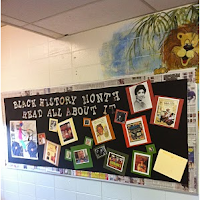
St Elmo School Black History Month Poster
Visit (just click the picture or the text) Technology in the Hallways, a post by Anthony Capps on the EDM310 Alumni Blog, and you will know the answer to that question.

Thanks EDM310.

P.S. Do you know how to make a picture into a link? See if you can find out!.