Visit The EDM310 Alumni Blog Amazing! An Alumni Blog! Thanks to Jackie Gorski and all of her co-authors!

Monday, August 30, 2010

Required Activities Instructions Significantly Changed

revised
If you printed Required Activities Instructions throw Version 1.0 away. Significant revisions have been made. The most current version is 1.1. Do not use any earlier version.

Full Circle

Full Circle

On August 28 Jabiz Raisdana writes a post on his blog Intrepid Teacher.
His post for that day is School Should Not be Considered Work, stimulated by a link sent out by William Chamberlain to an exemplar student blog about learning.
Stephanie Dunaway is assigned to read by Intrepid Teacher by Jabiz Raisdana.
She goes to the post cited above and adds a comment after 8 other comments posted by Mr. Chamberlain, Mr. Raisdana, Ira Sokol and Monika Hardy.
It is clear that she has read the preceding comments as well as the post. Her comment was left on 8/29.
Mr. Sokol responds, challenging Stephanie's argument.
Mr. Chamberlain is notified that Stephanie has commented on Mr. Raisdana's blog (not uncommon where several teachers regularly exchange ideas).
Mr. Chamberlain tracks down Stephanie (easy to do - he just clicked on her name in the comment even though she did not include her URL in her comment) and leaves a comment on her EDM310 blog at 4:32 pm Sunday 8/29.
I am notified that Mr. Chamberlain has commented on Stephanie's blog and that he asked how she came to find Mr. Raisdana's blog. He also compliments her for her argument and says he agrees with her.
I reply by email to Mr. Chamberlain at 5:51 on Sunday 8/29 and answer his question about how Stephanie found Mr. Raisdana's blog. I do not know - yet- whether Stephanie has replied to Mr. C by email. She has not left a follow up comment on her blog which would be a nice thing to do.
Today (it may have been yesterday since Mr. Raisdana is in Indonesia and the time difference is 12 hours) Laura Scott joins the conversation with a comment.
Laura also comments on a post that Mr. Raisdana wrote on July 24.

Full circle.

Who is Mr. Chamberlain? Teacher in Noel, Missouri who taught me about the importance of blogging. The William Chamberlain Award is awarded annually to a student in EDM310 who displays outstanding interest in and ability to use technology in teaching. You can read about it in a post announcing the establishment of the William Chamberlain Award on the EDM310 blog.

Who is Mr. Raisdana? Teacher (formerly in Qatar and now in Indonesia) and father of Kaia.

You will read more about these three people (Mr. C, Mr. Raisdana, Kaia). And some of you will also be assigned to read a blog by by Mr. Chamberlain, Mr. Raisdana, and/or Mr. Sokol.

The world is small indeed.

What more can we learn from this?
1. I know what happens in this class.
2. Now Stephanie is involved in a larger conversation. She can continue with that conversation if she wishes. That is what Anthony has done with Mr. Raisdana and Mr. Chamberlain. Laura has also joined in and may continue the conversation as well.
3. I can also join the conversation, and I might.
4. Mr Chamberlain started this particular conversation with this link to My Learning Manifesto by Yolanda S (an 8th grader). Mr. Chamberlain explains his assignment for his students in his post Student Learning Manifesto . In June 2009 Mr. Chamberlain started all of this with his post on At The Teacher's Desk entitled A Teacher's Manifesto.

You can be certain that you will hear about this again!

Other things to note:
Four EDM310 students were assigned to comment on Mr. Raisdana's blog. Two have done so: Laura Scott and Stephanie Dunaway. Thanks Laura and Stephanie. What about the other two of you? Know who you are? Just check the C4T Assignments on your Google Docs. Or I can tell you if you wish. But it would be better if you already know or find out before you talk with me.

Five EDM310 students were assigned to comment on At The Teacher's Desk. One has done so: Garrett Council. Thanks Garrett. What about the other four of you? Know who you are? Just check the C4T Assignments on your Google Docs. Or I can tell you if you wish. But it would be better if you already know or find out before you talk with me.

Don't Be Late - Many Heard, Some Didn't

A note that reads Don't Be Late
To those of you who posted Blog Assignment #1 on time, thank you. To those of you who have notified me of your group assignments, thank you.

To those who have no blog (7%), create your blog IMMEDIATELY.

To those of you who did not post Blog Assignment #1 to your blog on time (up to 22%), catch up NOW! You cannot afford to get behind in EDM310. I know you have heard that before but for some of you it apparently went through your head without sticking.

Advice to all: You are all aspiring to be educators. You will find that you encounter the same problems: students are late with their work, do not listen and do not follow instructions. If I ever find the magic solution to these problems, or if you do, let's share what we learn!

Saturday, August 28, 2010

Missing...

The Missing poster


47 Now 10 students have no group designation. That's about 16 Now 4 groups. Please send me your group names if you have not done so. Here are the names of the 47 Now 10 students:

Baxter Crystal
Griffin Aaron
Hughes Stacey
Jordan Evelyn
Milne Joshua
Nettles Sheena
Odom Christie
Patrick Boone
Soutullo Summar
Vanterpool Yulanda

Friday, August 27, 2010

Many Questions! Maybe You Need These Answers

question mark
Blog Assignments
A number of students have asked about Blog Assignments. They can't find them. The answer: everything is in the Instruction Manual or there are links from there to everything. If you have not thoroughly looked at the Instruction Manual, do so NOW. There is a link to Blog Assignments on p. 4 (Table of Contents) and in the section on Blog Assignments starting on p. 6 of the Instruction Manual.

Wordle
A number of PC users (It's easier on a Mac. Have I said that before?) have asked how to get their Wordle into a blog post. The complete directions are in Project Instructions (Project #2). The link to Project Instructions is also in the Instruction Manual (p. 4 and p.8). When you open Project Instructions you will find the Table of Contents on p. 4 and the Wordle instructions on pp. 7-15. What is apparently confusing some students is that they do not know the meaning of IMG. It means Image or Picture. That should clarify what you need to do. I have modified the Project Instructions (now version 1.1) to make it clear that IMG stands for image or picture.

Comments4Teachers
I have had lots of questions about C4T. I have just reread my instructions on p. 7 of the Instruction Manual. I fail to see how I could have been more clear but let me emphasize a few things:
1. You comment on a teacher's blog post (assignments are in your Google Docs) beginning this week. Then you skip a week and comment on the same teacher again.
2. The teacher to whom you are assigned will change after your second comment on that teacher.
3. When that happens you must write a summary of the two posts you read (major emphasis) and your comments (minor emphasis) and put that summary in a separate post on your blog.
4. If I were doing this assignment, after leaving my first comment I would create a new post for my blog, summarize the teacher's first post that I read and my comments. I would then SAVE the post instead of publishing it. After I had left my second comment for this teacher I would go to my Dashboard, Edit Posts, Edit the saved post about the teacher, add my comments on the second post of the teacher as well as my comment and rewrite if necessary to make the post coherent and flow well. Then I would publish the post.
5. Two weeks later the process starts over again with a different teacher.

There are other instructions which are important. Re-read the instructions about Comments on p.7 of the Instruction Manual.

Somehow I feel that some of you may not have fully digested the Instruction Manual. It is Instruction Central and deserves your full attention.

Mr. McClung Warned Me!

Later in the semester you will read two posts by Mr. Joe McClung. They are year end reflections after his first two years of teaching. In his reflection on year one he wrote:
"I have a way I want things done.....sound familiar? While we as instructors like to plan "perfect" lessons, we have to remember that we are performing in front of a crowd the struggles remembering what they brought for lunch that day.
NO LESSON IS EVER PERFECT. THE LESSON YOU TEACH AND THE ONE YOU PLAN ARE ALWAYS DIFFERENT.
At the beginning of the school year I felt like I was trying to control things way too much, and I would beat myself up over lessons and activities that did not go well. I had to get over this. While I always plan to have that elusive perfect lesson, I don't let it get to me and I do not kill myself over my mistakes any more. When things go wrong, simply work with it and try to better the situation.....and make sure you do it with a smile on your face!"

Joe McClung, "What I Learned This Year," At The Teachers's Desk, May 27, 2009.

Wednesday 6pm was a perfect example. What did I do wrong?
1. I combined two classes and created a crowd larger than the classroom. I solved that with the auditorium, but after we returned to the labs I could not communicate with everyone at once.
2. I did not allow time to process the information I get from the first session in the week. We did not have a trial run on a night class this summer. It takes me about 4 hours per class to process the materials and data that come from the first session in order to have the second session work well (like they did in the other sections). I tried to do it all at once. Unsuccessful.

So next semester we will do it differently. Maybe the night class will be required to attend the first two weeks. Maybe we will break it into two sessions in one week. Maybe we will come up with another solution. But we will not fret about this year! We'll get it straightened out soon. It will cost me a lot of extra hours of work, but I am up to it.

Lessons learned:
1. We often do not get it right the first time.
2. We learn from our mistakes.
3. We try and correct those mistakes.
4. We, as Mr. McClung said, "simply work with it and try to better the situation.....and make sure you do it with a smile on your face!"
5. We honestly reflect on what we have done and we are not afraid to do so in public.

Sunday, August 22, 2010

Welcome Fall 2010 EDM310 Class

Welcome. A revised Syllabus, the current version of the Instruction Manual, and a variety of other essential documents are now available. Some of these documents are very large and may take 2 or 3 minutes to download.

Syllabus
Instruction Manual
Calendar
Project Instructions
Required Activities Instructions
Introduction to EDM 310
EDM310 Is Different (Coming Soon)

Monday, July 26, 2010

Final Reflection/Form Now Available

The link to the final reflection on the class has been emailed to your gmail account. It must be completed by midnight tomorrow Tuesday July 27, 2010. But don't put it off. Do it now.

If you have any problems with the form, CALL me at 251-610-2599.

Don't forget: You also must complete your final reflective post about you! See the instructions in the second post below.

Thanks.

Have a great summer (what is left of it)!

Sunday, July 25, 2010

William Chamberlain Prize Fund Established. First Recipients Announced

The William Chamberlain Prize Fund has been established at the University of South Alabama. Annual awards will be given to one or more students in the College of Education who have demonstrated an unusual interest in and ability to use technology in learning.Wordle: Chamberlain Prize

Mr. Chamberlain announced the first winners of the prize in a ceremony Saturday July 24. They are:
Poppy Bednorz
Anthony Capps
Paula Casallo
Jackie Gorski
Jamie Lynn Miller


Each prize winner was awarded $ 150.

Congratulations to all the winners.

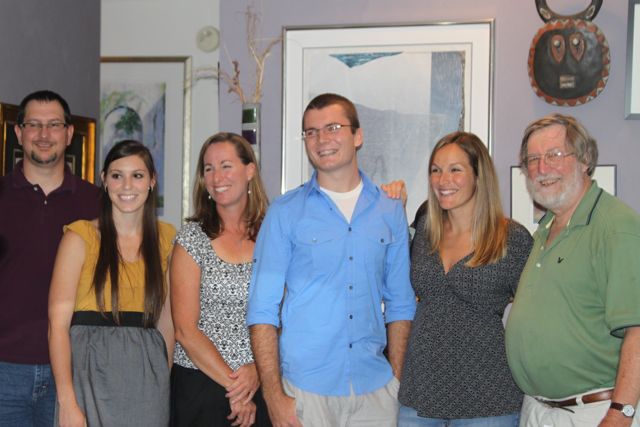
Bill Chamberlain, Jamie Lynn Miller, Jackie Gorski, Anthony Capps,  Poppy Bednorz,  John Strange. Paula Casallo not pictured.


Bill Chamberlain, Jamie Lynn Miller, Jackie Gorski, Anthony Capps, Poppy Bednorz, John Strange. Paula Casallo not pictured.

Friday, July 23, 2010

Final Post Reflection Instructions - Final Examination Part 1

Final EDM310 Personal Reflection

This constitutes a part of your final examination in EDM310. You have read two of Mr. McClung's reflections. One after his first year of teaching; one after his second. I want you to reflect on your eight weeks in EDM310 with the same care and consideration as Mr. McClung did in his two reflections.

Take 15 minutes to think. With your brain turned on. Look at your watch or clock. Don't start writing your post until you have spent 15 minutes reflecting. Take notes. Organize your thoughts.

Here are some things to think about to stimulate your reflection. These are not questions you have to answer. Just some things to get you started thinking and reflecting.

If you would rather answer by doing a movie or audio, do that. Embed in your post. Be sure to tag the video in YouTube with EDM310.

Use specific examples where appropriate.

On Monday I will post a form for you to complete which will provide you with an opportunity to reflect on the course. It will be due no later than midnight Tuesday July 27, 2010. This post is also due at the same time. Do it as soon as possible.

1. What have I learned? What can I now do that I couldn't do? What experiences have been especially meaningful to me? How am I different? What things do I think about that I didn't think about before EDM310? Will I approach teaching differently because of EDM310? What have I learned about working with others? What have I learned about myself? What are the things I need to work on to be an incredible teacher in the 21st century? After 15 minutes of reflection (don't count the time spent reading thee instructions) write your personal reflection on how EDM310 has affected you.

2. Using the same technique of reflecting before writing - this time for 10 minutes rather than 15 - reflect on what you would tell you best friend (or just an acquaintance) if they were going to take EDM310 next semester. What things should your friend do to make EDM310 more meaningful? What things to read, search for? What teachers to follow? What things to avoid? What things or opportunities to take advantage of? Again, this is NOT an outline for you to follow. These questions are posed to get you to think.

Wednesday, July 21, 2010

Join Mr. Chamberlain for a Conversation

Mr. Chamberlain
Mr. Bill Chamberlain will meet with students Friday from 9- 1 in the EDM310 Lab. Come talk with a master teacher who has contributed so much to EDM310.

If you are present at 1:00 pm I'll take you to lunch at my expense.
John Strange

Monday, July 19, 2010

Mr Chamberlain Suggests..

Brian Crosby Back to the Future Video
Mr Chamberlain suggested via email:"Brian Crosby's presentation Back To the Future at TedX Denver would be a great video for your students because it illustrates how one topic can encompass a huge range of learning."

Next semester this video will be one of the required assignments. I endorse Mr. Chamberlain's suggestion and urge you to watch it NOW!

Be prepared to be:
Disturbed
Puzzled
Dizzy
Sky High
Transported
Bursting with Excitement
A Follower
A Mac Fan
A Builder of a Learning Network
An Authentic Audience
Creating High Hopes
A Collaborator
A participant in a class with a student "You will probably never see."
In need of a Kleenex
A Learner
Amazed
Motivated
Challenged to Act
Thankful

Watch the video and you will understand this list. Do it now. No, it is not a required assignment. But if you really want to be a fantastic teacher watch this video NOW! Back To the Future by Brian Crosby, Agnes Risley Elementary School, Sparks, Nevada.

Friday, July 16, 2010

NEW ASSIGNMENT: Alba Middle School Students Create Videos

Gulf waters with Just Pray superimposed
Alba Middle School Students Create Videos is a video that tells us about Alba Middle School students who created a created a photograph exhibit which told the story of Katrina hitting the Gulf Coast five years ago and about their new projects creating videos about the BP oil spill. Their first video, a practice "spoof video," is now on You Tube. It is titled The Mean Oil Spill. The Alba students have just posted a more serious movie called Just Pray. The students are continuing to work on more videos.

It seems appropriate for us to celebrate these video productions in Mobile County with some comments from EDM310 students. So here is a NEW assignment. Watch the Mobile Press Register video: Alba Middle School Students Create Videos. Then watch The Mean Oil Spill. Leave a comment on the YouTube site. Then watch Just Pray. Then take a look at some of the other videos posted by Sheila Hagler. Go to the sheilahaglerphotos Channel of You Tube. In the lower left you will see her Recent Activity. Take a look at some of her other videos. You can also click on Send Message (near the Subscribe button on the left) and send a her a message about your reactions to her work that that of the students at Alba. You can also email her Sheila Hagler: sheilahagler@gmail.com

The print article by ReneƩ Busby was published on p. 1 of the Living Section of the Mobile Press Register on Tuesday July 13, 2010. Since the print article is not on the Mobile Press Register site, I will reproduce it here:

Students document BP's "mean" spill

By Renee´ Buzbee

Bayou La Batre - The Alma Middle School students laughed as they sat at a computer searching for bird sounds and photos for their video.

It's a part of their healing process.

Five years ago, Alba students created "Eyes of the Storm," a photo exhibit chronicling hurricane Katrina's wrath in south Mobile County. Now, students there are producing a video about the Deepwater Horizon oil spill.

"Kids process feelings through photos," said Sheila Hagler, an artist in residence at Alba and a professional photographer who teaches photography.

Hagler, who oversaw the Katrina project, said that the spill video would help the students cope with another tragedy affecting family members, neighbors and friends.

"When they talk about it, healing takes place," Hagler said.

To test the waters for their video project, the students made a spoof video called "The Mean Oil Spill, which is on You Tube.

In a classroom last week, the students began editing video of a Bayou woman interviewed describing him made signs that she creates about the oil spill.
The students named the new video "Just Pray."

Those words , said Hagler, are heard often when coastal folks explain how they're doing with the spill.

Next week, the students will venture into the Bayou community with their cameras to capture the feelings of loved ones and other local people.

A recent visit to Gulf Shores left Alba student Krista Bufford, 12, with oil covered shoes, instead of memories of a fun summer vacation. "The oil spill is disgusting," she said.

Alba students Abby and Tara Ladnier, 12-year-old twins, know firsthand how the spill has harmed local livelihoods.

"My Paw Paw works on a shrimp boat and he doesn't have a job," said Terra. " He's upset."

Abby said she hopes the video will encourage people to "do something to help."

Said Terra: "I hope that people will see that if you pray, it will change it."

Thursday, July 15, 2010

Foliotek

USA Logo
After all presentations have been completed next Thursday July 22, 2010 we will check your Foliotek entries if you have them completed or we will help you complete them if necessary.

1. You must register for Foliotek. It costs $ 35 for one year. To register and pay for Foliotek follow these instructions:
a. Go to the USA Online Login page.
b. Login. Your User ID is your J number. Your password is the last 4 digits of your social security number.
c. Click on Go to Class. Then click on eFoliotek. If you have not established a Foliotek account, do so. You will have to pay by credit card. After all information has been entered you will have to Accept the Foliotek rules, etc.
2. Once you have registered and paid for Foliotek and Accepted the Foliotek rules, etc. you will be able to post to Foliotek.

Think of Foliotek as a storage device in the sky where you will store evidence of your accomplishments in the College of Education. Every course you take in the COE has state established standards which you must meet. You must store the evidence used to determine whether or not you have met these standards in Foliotek where they can be seen by anyone desiring to see that evidence. Your instructors will provide detailed instructions of what evidence must be submitted for what standards. You then place electronic copies of that evidence in Foliotek.

In EDM310 all of your evidence for all of your the standards associated with EDM310 is in your blog and the EDM310 Class Blog. Therefore your blog and the Class Blog are what "go" into Foliotek. Since your evidence are blog we only have to provide Foliotek with links - a links to your blog and the Class Blog. So completing the Foliotek requirements for EDM310 is quick and easy.

You will need:
1. A list of the standards associated with EDM310. They are:

Literacy: Oral and Written Communications (3)(c) 1.(iii)
Literacy: Technology (3)(c) 4.(i)
Literacy: Technology (3)(c) 4.(ii)
Professionalism: Alabama-Specific Improvement Initiatives (5)(c) 3.(i)
Professionalism: Ethics (5)(c) 5.(ii)

Note that the standards are grouped into Literacy and professionalism. (There are others.) Also note that there one small letter i (or two or three of them) at the end of the numbering system. These are VERY IMPORTANT. Be sure you pay attention to them!

2. You will need the URL to your blog and the URL for the Class Blog ( http://edm310.blogspot.com )

3. Then follow the instructions in Foliotek Summer 2010.

4. After you have completed Foliotek, your entries must be checked in person by one of the EDM310 staff members. This is an ABSOLUTE requirement and it must be done in class on Thursday July 22, 2010. If one of us does not sign off on your Foliotek entries in person you will get an I in the course. And if you do not complete Foliotek (which is a GREAT hassle for you and an even greater hassle for Dr. Strange) no later than Monday October 11 your I will become an F no matter what you would have gotten in the course.

Wednesday, July 14, 2010

Final Comments4Classmates / Blog Assignment 13

drawing of brain
This instruction supersedes the instructions in the Instruction Manual for Blog Post 13 (Assignment 14).

I am experimenting. This assignment has two objectives:
1. Students who did not submit their posts on time did not get comments. This assignment should produce 3 comments for everyone.
2. Blog posts have been the only assignments for comments. This broadens the work reviewed by your fellow students.

You have three posts of fellow students upon which to comment. The assignments can be found in Google Docs under Comments4Classmates Number 12. If I have assigned you a post which is yours or in which you appear (an interview or a smartboard lesson for example), do not do the assigned post. Instead comment on the "spare" provided for you. If you need more than one "spare," select any other.

This is the final C4C assignment. BUT I have added a new assignment. See the post NEW ASSIGNMENT: Alba Middle School Students Create Videos.

There will be one more Blog Post - a Final Self Assessment. Instructions will be posted Thursday July 22.

Tuesday, July 13, 2010

Completing Your Forms Assignment

Stephen Akins has created a movie on how to Add A Summary of Survey Results to Your Blog.

In the Instruction Manual I mentioned the word print. Well, I have washed my mouth out and corrected that. Of course you can print the results using the method I described in the Instruction Manual. But you do not have to!

Just follow Stephen's suggestions.

Sunday, July 11, 2010

The Missing Part of Blog Post 12 (Assignment 13) Due 7/14

WatchM-Cubed: ISTE Presentation Video. Then watch three other videos (your choice) at fablab4teacher's Channel. What did you learn from watching these four videos. What can you put to use in your classroom? In your post add working links to the three additional videos you watched.

The Instruction Manual has been revised to reflect this change.

Watch for another change later this week which will identify the assignments for Blog Posts 13 and 14. These assignments will be in a post on the Class Blog and another revision to the Instruction Manual will be issued.

Thursday, July 8, 2010

Is your blog accessible?

There are many issues involved in making web content accessible to everyone no matter what adaptive software or hardware they may be using because of a disability or some other form of diversity. This is why in EDM310 we require that you place ALT and TITLE tags on any pictures you include in your blog. If you have questions about how to do this see the movie at the bottom of page 5 of the EDM 310 Instruction Manual entitled, "Adding ALT and TITLE tag modifiers".  To check and make sure you have done this correctly Click Here to use the Web Accessibility Evaluation Tool or WAVE. This link is also available on page 4 of the EDM 310 Instruction Manual. About half way down the WAVE website there is a link that will explain how to add the WAVE toolbar to your Firefox browser. Once you have done this you can check your blog (or any other web page for that matter) simply by clicking the WAVE button on your tool bar. 

WAVE will show green tags for things that are accessible, yellow tags for things that are questionable, and red tags for things that are not accessible. There are some things on your blog that are out of your control that will show up with red or yellow tags. Don't worry about these things. These are Google's problem. You just need to ensure that you see green tags on any pictures you have added.

If you have any questions or require further clarification please let me know. SS

Friday, July 2, 2010

C4K 3 Now Available in Google Docs

C 4 K
Since this is summer here the schools are out for summer "recess." Even the Australian and New Zealand schools are on winter break now. So we are doing C4K a bit differently than usual for assignment 3. Read the directions carefully on the Google Doc for C4K 3. We will be taking an in-depth look at the blog posts of one class: Mr. McClung's World. You have just read his Review for Year 1 and you can see in the post two posts below that you will be assigned his Year 2 Reflection later in the semester. Now you will get to look at his class "in action." It's not in session, but you will see how it developed over the course of the Spring Term. So look around. Don't just do your assigned post. See what you can learn from his blog as a whole.

Instruction Manual Revised - Version 1.6

Version 1.6

The Instruction Manual has been revised again. It is now at Version 1.6. The regular server hosting my EDM310 documents is now working at long last. But the Manual will also be on the emergency site. Although the changes that have been made are relatively minor, they do provide a somewhat clearer schedule of project due dates.

You may use either of these two links to get Version 1.6 (July 2, 2010)
The Instruction Manual on the regular server.

The Instruction Manual on the Emergency Site. Then select instructionmanual.pdf and download

Mr. McClung Reflects on Year 2

Learning Never Ends U.S. Postal Stamp
Mr. McClung Reflects on Year 2. Compare his new reflection to his reflection from last year (Year 1). And leave him a comment. Two of you have already done this. This is the first part of Blog Post 12 due July 14. Since the two are related you might want to do this part of Blog Assignment 12 now and the rest (to be assigned) later.

Monday, June 28, 2010

Emergency Link for Instruction Manual, Syllabus and Other EDM310 Documents

Emergency sign
Click on Emergency Link for EDM310 Documents and you will find there links to download the Instruction Manual, Syllabus and other EDM310 documents. The server on which they are regularly housed is down. Efforts are currently underway to return the servers to service but it is turning out to be like the oil well - more difficult than first imagined. All EDM310 Summer 2010 documents are now available on the Emergency site.

Wednesday, June 23, 2010

Comments For Kids

Point England School


Earlier this week I got this email from Dorothy Burt, Director of eLearning at Pt. England School in Auckland, New Zealand:

Hi there

We are LOVING the podcasting comments coming through from your students. Thank you for sending them our way again :)
We have a 'new' mantra this year for commenting. We came up with it for the kids, but it works just as well for us teachers.

We ask, Is it Positive, Thoughtful, Helpful?

Positive - the obvious positive affirmation
Thoughtful - engaging with the content of the post in some way
Helpful - this is the feedback/feed forward aspect. Discerning the learning intention and trying to be helpful.

Your students are doing a great job of this without having our 'mantra' in front of them.

In another email which Ms. Burt sent to her colleagues she especially praised Alana Carpenter's comments left for the students at Pt. England School. She said:

Isn't this a great comment from one of Dr Strange's students? I am thinking I will save this as an exemplar - for myself :)

Alana Carpenter has left a new comment on your post "KPE Episode 276: "Duster"":

Hi girls, I am from Dr. Strange's class, too. I was most impressed by your use of "first, next, then, and finally." You are showcasing some excellent sequencing skills. In addition, your dialogue was very fluent. You made the story come to life as you incorporated personal experiences with your own dog. I wish I could meet Duster. I guess I will just have to read the book. It is so awesome to see you using technology at such an advanced level. I say advanced because I am just learning how to utilize podcasting and other technical tools. If you would like to see some of the things we have been learning here is a link to my blog. My Blog

Dorothy

It is wonderful to get praise like this, especially from a person who directs the best school wide educational technology program in the world!

So students, keep up the good work. And remember:

We ask, Is it Positive, Thoughtful, Helpful?

Positive - the obvious positive affirmation
Thoughtful - engaging with the content of the post in some way
Helpful - this is the feedback/feed forward aspect. Discerning the learning intention and trying to be helpful.


I would also remind you that you should NOT ask the students about themselves or the other students. If you have a question about the class, the teaching techniques used, or the students in the class ASK THE TEACHER! You are learning to be a professional. That is how professionals interact with students and teachers.

MidtermReflection (Examination) Has Been Closed

Closed sign
It is 12:00 (actually 12:13). The Midterm Reflection (Examination) has been closed. If you did not complete the midterm you should contact me immediately by telephone. Seven students did not complete the midterm.

Midterm Reflection (Examination) Due at Noon Today

Clock showing NoonYour Midterm Reflection (Examination) must be submitted no later than noon today. It was sent to you by Gmail at 10:00 am yesterday. I can guarantee you that you do not want to fail to get your Midterm in on time!

Tuesday, June 22, 2010

SmartBoard Practice

The SmartBoard for the EDM310 Lab has not yet arrived. Arrangements have been made for you to use the following rooms for SmartBoard Practice and Projects:

Room 3350 Monday - Thursdays 9:00-12:30
Room 3228 Wed 6/30, Thur 7/1, and Fri 7/2 12:30-2:00
Room 3226 Monday 6/28 12:30-2:00

Teams Podcast Topic Projects and SmartBoard Project

These is now a document in your Google Docs where you should list your team for the Podcast Topics Project and the SmartBoard Project. Please add your team as it is formed.

Midterm Reflection (Examination)

question markThe Midterm Reflection (Examination) has been sent to your Gmail account. Complete it no later than noon on Wednesday June 23, 2010. Click the Submit button only once. I will send you an email after I get your submission. If you have submitted your form but have not received an email from me by noon Wednesday, contact me by phone or by Gmail.

Thanks.

Monday, June 21, 2010

SmartBoard

SmartBoardI have created a new document Using a SmartBoard and Creating A SmartBoard Project and have made it available to you in your Google Docs. Your SMARTBoard Project is due July 5, 2010.

Sunday, June 20, 2010

Midterm Reflection (Examination)

question markThe Midterm Reflection (Examination) will be sent to you by Gmail on Tuesday by 10:00 am. You will have 24 hours to complete it.

I Don't Know. Let's Find Out.

Eric Whitaker Blog Logo
When you have a question, look it up. That's the wonderful advantage of living in a world when almost all information is available at all times and in all places. (I borrow that phrase for the book Gutenberg II published in 1978 and the prediction of the authors that all information would be in all places at all times by 2000. They were a bit off in the timing, but correct in the prediction. And they were talking only about text.)

I have read many posts in which a student raises a question but does not take the next step to find out. As teachers we need to set an example and be learners as well. Here is one example of what I mean. (There are many other students who could also serve as examples, but I have selected this example because I just encountered it.)

In her post on The Virtual Choir, Laura Ashley Butler liked the choir but added "...I just think that the sounds and voices may have been altered and edited. I would like to hear what the video would sound like raw." That made me ask myself "How was it done?" So I Googled Virtual Choir and the second link down was The Virtual Choir: How We Did It. It is very interesting. Next semester it will be part of the assignment if I continue to use The Virtual Choir.

So read and listen to this "answer" to the question that Laura Ashley's post raised in my mind. Take away from this that we all should model the behavior of asking questions and then searching for answers!

Major Revision to Instruction Manual

Sleeve patch reading Corrections Department Calhoun County Alabama
As I predicted the Instruction Manual is undergoing many revisions this semester. I have just released Version 1.4. It is a major update. If you are not using Version 1.4. It changes and/or clarifies several due dates and adds additional information on several assignments including the current assignment through the assignments for July 5. If you are not using Version 1.4 of the Instruction Manual, you should be!

SmartBoard Project Due Date Changed From June 23 to July 5

SmartBoard
SmartBoard Project Due Date Changed From June 23 to July 5. Watch the Class Blog for further information.

Saturday, June 19, 2010

Still Another Version of Instruction Manual

Sleeve patch reading Corrections Department Calhoun County Alabama

Additional errors have been corrected throughout the Instruction Manual version 1.3. The correction to the Blog assignment for Sunday 6/20 has been added to the Instruction Manual. In addition you are being alerted to the fact that SmartBoard Instructions (and the new and bigger SmartBoard) have been delayed. Watch the Class Blog or stay in touch with the lab for further information on SmartBoard instructions. If we do not get the new SmartBoard by Tuesday we will have to use the smaller one.

Wednesday, June 16, 2010

Revised Instruction Manual

Sleeve patch reading Corrections Department Calhoun County Alabama
Several errors have been corrected throughout the Instruction Manual version 1.2. Most are minor numbering issues that have been corrected, but the Blog assignment for Sunday 6/20 has been changed. See the many posts I have added to the blog today.

Comments4Kids Starts

c 4 K

Comments4Kids starts Wednesday midnight. You will find your assignment in Google Docs. Before you begin commenting on the kid's blog, find out what you can about the class, the teacher, the grade, the school, the country and the assignment or task. PROOFREAD your comment. Mrs. Yollis rejected two EDM310 student's comments because they did not meet her requirements for spelling and grammar for the 3rd grade. Read my post Some of You Won't Make It Through the 3rd Grade. PROOFREAD. Don't embarrass yourself, EDM310 or me! Please!

In your comment identify yourself as a student in EDM310 and leave a link to either your blog, the class blog or both.

This is one of the most important and interesting assignments in EDM310. Enjoy. And learn what is happening in classrooms throughout the world. You will primarily visit schools in Australia and New Zealand where it is winter now.

Assignment Changes

Cover of EDM310 For Dummies
Blog Assignment #5 (Facebook and Privacy) due Sunday 6/20 has been made an optional assignment. Instead watch The Chipper Series and EDM310 for Dummies. After watching them, discuss ideas in your post that you can think of for videos that you would like to create, or participate in creating.

Links to iTunes U Reported not Working

Picture of iTunes U site
Google and Apple are always changing. Here is the latest link to iTunesU information on the Apple web site. But this link may not work tomorrow. Who knows. If you find yourself faced with a link that does not work, search for it. For example a search either the Apple site or Google for iTunesU returns this page. So don't be stumped. Search!

Adding Audio to Your Presentation

Audacity sound file image
You have four options for adding audio to (or with) your presentation. You can read all about these options in Adding Audio to Your Presentation.

TimeToast Has Bug (Sometimes) - Here is Correction


Sometimes the code produced by TimeToast to embed the Timeline has a bug in it. It does not close the embed tag. Since I cannot put a fragment of html code in this post, I will use a picture to show you what is missing. Add this closing tag after the code that TimeToast provides. But sometimes the code is correct. If it works in your blog, don't "fix it."

Originally posted April 17, 2010 without the "sometimes" conditions.

Tuesday, June 15, 2010

Send a Form So Others Can Complete It

A Google Form
1. Complete your form
2. Have it approved.
3. After all corrections (if any) have been approved, go to your form. It will be is spreadsheet form.
4. Go to the list of EDM310 Gmail addresses in Google Docs.
5. Click on the top name.
6. Scroll down to the last name being careful not to click the mouse.
7. Hold down the shift key and click on the last name. This will select ALL of the members of the class. Regardless of other instructions, send your form to everyone in the class.
8. Copy
9. Go back to your form Click on the Form Menu Item and Select Send form
Image of Form menu drop down
10. Paste in the box next to to: and then click Send
Screen shot of results of selecting Send form

Sunday, June 13, 2010

Audacity, .mp3 Files, and Presentations

Audacity Logo
You are missing some instructions. I will distribute the instructions on what to do with your Audacity .mp3 files on Tuesday and will post them the same day. Just know where you saved your .mp3 file. Go ahead and embed your presentation in your blog.

Thursday, June 10, 2010

A Correction

Sleeve patch reading Corrections Department Calhoun County Alabama
The Syllabus has an incorrect phone number for Jamie Lynn. I have now correct it on the Syllabus. Her correct phone number is 228-217-9029.

Wednesday, June 9, 2010

Questionnaires

question mark
The questionnaires are arriving in great number. We will review them and have all approvals out by Sunday night. If there are problems or corrections needed, we will attend to that in lab next Tuesday (or Monday or Wednesday). This may be a deadline change for correction time. I think I did not allow time for the approval process which is now Thur-Sun.

Some approvals have already been issued so yoiu can distribute those questionnaires now if you wish. If you are sending to the class you will find a list of gmail addresses in your Google Docs. Here's an easy way to select all of them at once:
1. Click on the gmail address in Row 2 (the first gmail address)
2. Scroll down WITHOUT CLICKING to the last gmail address. Hold down the shift key and while holding it down, click the last gmail address. That selects all of the gmail addresses. Copy.
3. Go to your spreadsheet version of your form. Share. Paste TO VIEW. You may want to add a message asking your classmates or recipients to fill out your form.
4. Then add all instructors gmail addresses to a new invite. Invite them TO EDIT. Send. That's it.

Sunday, June 6, 2010

Comments4Classmates Begins at Midnight

C4C
Assignments have been made for the first Classmates4Classmates. You will find the document in your Google Docs. If you do not get the assignment in your Google Docs, please notify me immediately.

The first blog posts are due at midnight tonight. You can begin leaving your comments for your classmates then (or earlier if their posts have already been made).
Addendum
Don't know what Google Docs are or where to find them? Read the comments below and your questions will be answered.

Thursday, June 3, 2010

12 1/2%

12 1/2% of the class has been completed!

Wednesday, June 2, 2010

Links to Student Blogs Now Posted

An image of words representing a link
There is now a link to the Blogs for this semester. It is found in the smaller column to the right. Check to make sure the link to your blog works. If it does not, make sure you used the required URL that is constructed by combining (no spaces) your last name your first name edm310 Blogger adds the last part which is .blogspot.com

If you are still unable to get your link to work after checking these two items, send me an email so we can correct the problem..

Questionnaire Link Sent By Gmail

I have sent a link to the questionnaire to you through Gmail.

Please complete this questionnaire as soon as possible. It is done in Google Forms. You will have to do a survey in Google Forms. Observe what you can about how it is constructed.

Click the SUBMIT button ONLY ONCE. If it does not go through I will tell you tomorrow in class and you can try again then.

Picture Sent By Gmail

Instead of having to download your picture for your blog as I outlined in the instructions, I have sent it to your Gmail account. This means there will be no resizing or server problems. In addition we can check to see that your Gmail account is working and that you are reading your Gmail.

If you did not get a picture, or you got someone else's picture, let me know.

Monday, May 31, 2010

EDM310 Summer 2010 - Two Important Videos

EDM310 Is Different This Summer!
You Must Manage Your Time Effectively in EDM310

Saturday, May 15, 2010

Summer 2010 - Syllabus and Instruction Manual Now Ready

A Syllabus and an Instruction Manual containing class assignments and links to instructional materials are available. Both are subject to revision throughout the semester. If you want to get a head start on the Summer 2010 course, go ahead and get started. Help is available by email.

Monday, May 10, 2010

Final Grades Submitted

Final grades have been submitted for all classes to the Registrar and will be posted according to the Registrar's schedule.

Final grades for classes with instructors other than Dr. Strange were recommended by the instructor but approved by Dr. Strange who read all final reflective posts and surveys as well as final exams and, in some cases the student's blog and other projects. If there was a question about the grade to be awarded, Dr. Strange discussed it at length with an instructor until an agreement was reached. This happened in approximately 12 instances. Some grades were improved as a result. Some were reduced.

If you got an I it is because you did not complete Foliotek (except in one instance in which the I was for medical reasons). In either event, the I will automatically convert to an F if all work (and/or Foliotek) is not completed by Thursday July 2, 2010 at midnight. Foliotek is closed until June 1 so no completions of Foliotek can take place until after that date.

Good luck to all of you.

Wednesday, April 28, 2010

Final Exam

The final exam will have three parts:
1. A survey similar to the midterm reflection/examination
2. A survey specifically related to your class instructor
3. A question (maybe two questions) that you will have to respond to in Google Docs (shared with me and your instructor TO EDIT). No additional preparation is required to address these questions.

You will receive an email (to your gmail account) with links to the surveys and your questions(s). The email will be sent sometime prior to or at midnight Sunday May 2. All parts of the final examination must be completed no later than midnight Thursday May 6. I will use three or four different questions for the examination. Your question may be different from your friend's. There are issues of security as well as other issues that are addressed by using a variety of examination forms.

If you do not receive your email by 8 am Monday May 3, call me or your instructor immediately. Phone numbers are on the syllabus.

Grades will be submitted to the Registrar no later than Monday May 10. I do not know how long it takes the Registrar's Office to post the grades on the web. Not long, but perhaps a day in order to check for accuracy and completeness and to correct any problems.

No in class examinations will be given. The last class meeting for any purpose is on Thursday April 30, 2010.

My Sentence - Revised Already

Since I am insisting that all of you have a sentence, I should do one also. Here is my sentence:

I am still trying to change the world through attempts to discourage burp back education and to encourage creative problem solving through project based learning using technology when effective.
Revised 4/28/2010 10:55 am.

WARNING: If you tried to duck writing your sentence (we all reserve the right to change it), you will have to write one on the final exam!

Tuesday, April 27, 2010

ZZZ - The Latest Installment

I have published a new post which summarizes the comments made by over 110 individuals about my ZZZ post/ You will find it on my Dr. John Strange's Strange Thoughts Blog.

Take a look. You can leave comments there.

Saturday, April 24, 2010

Final Blog Assignment

You cannot successfully complete EDM 310 without completing the Final Blog Assignment. It is considered part of your final examination in EDM310. It requires an HONEST reflection on your part.

You DO NOT have to include the questions, but do include the number of the question you are addressing. In question number 1, address those items covered in the class which you feel are most important.

Due no later than midnight May 2, 2010.

Tuesday, April 20, 2010

Still Having Problems with Google Earth?

Google Earth


If all else fails (or in addition to all else), in your post include a link to your .kmz file (tour).

Saturday, April 17, 2010

A Learning Moment - Rachael, Kayla, Dr. S, Vocaroo and links

Blogger's Link Icon
Go to this post of Kayla Daughtry. Read the comments. This post particularly pertains to the post by Rachael and by me, but all of the comments are very interesting and quite unlike the comments and posts others have made regarding this assignment.

Rachael could not make her button work and in a comment the link itself would not "work" within the comment. My guess a lot of the rest of you do not know how to do this either. You should. Now read my comment. I tell you how you should do it (learn how to write a working a tag) and a shortcut if you don't (let Blogger do it for you in a post and then copy and paste to a comment).

Try it.

Additional Professional Blog Information

professional Blog
Use these links for instructions on completing your Professional Blog:
General Instructions (with links that should be visited)
Instructional Videos

Wednesday, April 14, 2010

Test for Kimberly

Tuesday, April 13, 2010

Revised Instructions for Embedding Google Tour in Blog

Google Earth


Google Project
1. Create A Trip
a. In the Places section, click on My Places and then Create and Name a Folder for your trip (Add...Folder) It will be in the Places section. Click on your folder
b. Follow the steps as set forth on this web page to create placemarks. These are stops along your trip. Zoom in or out, add information, tilt, etc. If the placemark you create does not go into your folder for your trip, drag it into your folder. Continue making and adjusting placemarks.
c. After you have created all of your placemarks, they are in the correct order, and you have finished your trip, make it into a playable trip by
1) Clicking on your trip folder
2) Click on the folder at the bottom right of the Places section. The trip controller will come up.
a) Click the record (red) button
b) Click the audio button to record audio. Caution. I have been unable to record audio.
c) Your Tour now appears (a movie camera icon next to its name) in the places section
d) Click on this tour
e) File...Save...Save Place as... add name, select location where it will be saved, and click SAVE
f) Your .kmz file will now be on your hard drive.
2. Upload Your .kmz File to a Web Page. You will create a web page using Google Sites. It is free. Once you have create a page you will store your .kmz file on that page which means that you will have a URL to use in your EMBED code which is Step 3 below.
a. Log into Google
 b. Click on more
c. Click on Sites (It takes you to Google Sites – Google’s Web Page Creator)
d. Click on Create new site
e. Use the Blank Template for now, type in a name for your website. Example: John Smith EDM 310 Webpage.  (Notice it shows your sites URL as you put in a name)
f. Type in security letters as shown and click Create site.  It should take you to the homepage of the website you have just created.
g. Go to the top right of the page, click on Create page
h. Select File Cabinet
i. Type in a name. Example: EDM 310 Files
j. Click Create page
k. Click Add file
l. Click Browse under your computer
m. Find the .kmz file for your tour
n. Click Upload. (Your file will show up with the word Download below it)
o. Right-click on Download (Control click on a Mac) (
p. Click on Properties Works on PC System 7 at least)You may have to email the link to yourself (or copy it from the email form) if you are working on some PC systems older than 7 or on a Mac.
q. Copy the URL Use this URL as a link in your post if you have trouble with Google Earth saying "Unable to Load .kml file)
r. Click OK
3. Use the Embed Tour Gadget to create code to place in Blogger
a. Go HERE
b. Click on Use theEmbed Tour gadget and Read the instructions
c. Click on here near the top of this section to go to the Embed Tour gadget Here also works here.
d. Fill in the Gadget settings
e. Paste the URL of your .kmz file in the KML URL area
f. Check Autoplay tour
g. Check anything else that is necessary
h. Leave Show terrain checked
i. Click Get the Code
j. Paste the code in a Blogger post.
k. Publish your post and view your blog
l. Try it to make sure it works.
m. If it does not work, make sure you have followed these instructions.
n. If after checking what you did it still does not work, contact Dr. Strange or Mr. Tashbin If all else fails (or in addition to all else), in your post include a link to your .kmz file (tour).

April 24 Blog Assignment Changed - Again

See the Revised Blog Assignments below.

An Extremely Important Comment From Dorothy Burt of Pt. England School

Kids at Pt. England School
I want to call the following to your attention. It is a comment left yesterday by Dorothy Burt, eLearning Director at Pt. England School in Auckland, New Zealand. Please especially note Point 2 below.


Manaiakalani has left a new comment on your post "Honest Reflection is Required":

As an outsider (both in terms of your class and culturally) I have been fascinated by this post and the following conversation. Which I must hasten to add has occured in a public space and so I am adding my 2 bobs worth....

Two comments:

1.Ten years into the 21st century I am amazed by educated folk who still haven't understood that once you start using digital tools most of your acts are traceable. So it is getting almost impossible to lie about events online. I must assume that ZZZ is one of the people who most needs this course because s/he hasn't yet understood about digital accountability. I administer large domains for teachers in my district and I am amazed by teachers who fudge about having been online and attempting to do a required task because in my Administrator's page it tells me the last date/time they logged in!
This is something that teachers and students need to get their heads around urgently.

2. This point is dear to my heart because many of you students have been leaving comments on blogs of children who I work with. I wish I could come over and meet you (or bring you all over to NZ) and explain to you what a HUGE profound difference you make in the lives of individual children when you affirm them by reading their work, looking at their graphics, watching their movie, or listening to their podcast AND leaving them a comment. The positive affirmation is fantastic, but you people go beyond that and leave feedback which indicates that you did listen and you connected with what they were trying to say. That simple act has the power to change lives. I know you need your A grades, but our kids need people such as you to interact with them and their learning.
Please don't let this just be about grades - whether we are talking about this course or teaching as a career - make it ALWAYS be about the kids.
Dorothy
Auckland, NZ

Tuesday, April 6, 2010

New Deadlines

Although I don't think it is a good thing to do, I will extend the deadlines for the following projects, all of which must be included in your blog, to Friday April 30 at 5 pm.
Project 5 Survey
Project 6 Repot on Skype use
Project 7 Voicethread or Vocaroo
Project 8 Teach Someone Using Technology
Project 10 Timetoast Timeline
Project 12 Google Earth
Project 15 Interview

Due Dates Not Changed
Project 11 Professional Blog May 2
Project 14 Substantive Presentation - Present in Class Week Starting April 19

Created on my iPad

Monday, April 5, 2010

Winding Down - A Few Changes

Projects due at the end of Week 13 are now due on Sunday April 18. That gives you a bit more time for them.

Comments4Kids and Comments4Teachers will end at the end of Week 14 (April 18 midnight).

Comments4Classmates will continue through the last posts.

We will complete Foliotek the last week in class. Either I or one of my assistants MUST approve your Foliotek submission before the end of classes.

Sunday, April 4, 2010

Extremely Important - Class Attendance Mandatory This Week

check mark
Attendance is MANDATORY for all classes or labs regularly scheduled this week. The Office of the Vice President for Academic Affairs will be administering an instrument about basic education. You are REQUIRED to be present and to take it as part of the accreditation review that is conducted every 10 years.

You will receive $10 credit at the University bookstore for your participation.
You will also be entered into a drawing for an iPad.
If you score in the 50th percentile you will receive a second entry into the iPad drawing.

Thursday, April 1, 2010

Blog Assignments Changes and Rearranged

switch April 11 and 25
The Blog Assignments for April 11 and April 25 have been switched and the blog assignment now posted for April 25, 2010 has been slightly modified.

Please use the REVISED Blog Assignments Part 2 for the rest of the course or until further revised.

Here they are as they currently stand:

April 11
Watch this video: Dr. Seuss - The Zax
Watch thisVideo: Another PS 22 Video
Write a blog post in which you answer this question:
Why is important for students to post their work to blogs (or in other ways)? The PS 22 Video is
one example. Use at least three other examples which you have encountered in this class
(assigned or not). Include pictures and links for all example which you use.

April 18
Select a topic that stems from your work in EDM310. Write a blog post that sets forth your thoughts and feelings about a topic, any topic, related to EDM310. Instead of responding to an assignment as you usually do in your blog post, create something (can be audio, video, text or a combination of any of them) for others to respond to and discuss.

April 25
Watch this video:
A 7th Grader's Personal Learning Environment (or PLN)
Comment appropriately in your blog post. Compare her PLE to your PLE.

Watch this video: Two Questions That Can Change Your Life

In the same post, reflect on these two questions and how they might affect you.

May 2 Closing Post Final Reflection
Special instructions will be provided.